Description
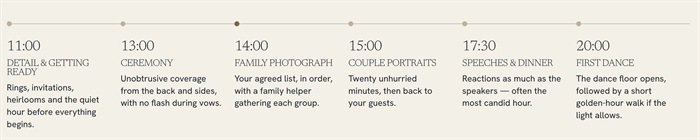
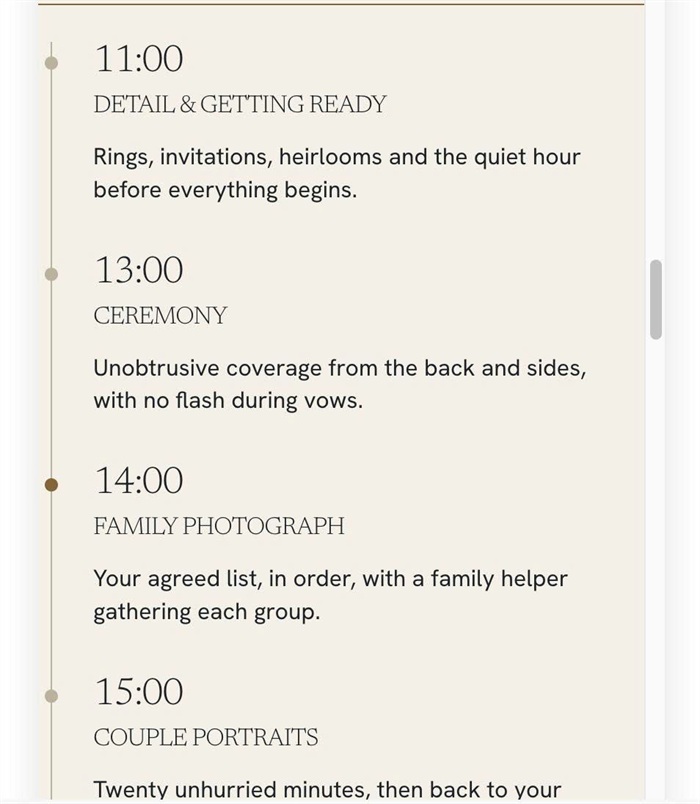
- turns a List Section into a clean horizontal timeline with a line and dot above each item, and switches to a vertical timeline on mobile
- buy me a coffee
#1. Install Code
#1.1. First, you can add a Team Section (Team > Section with icon in top right)
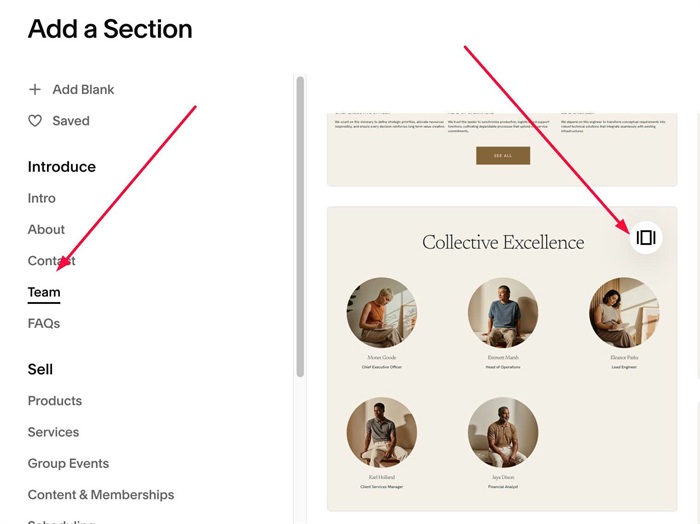
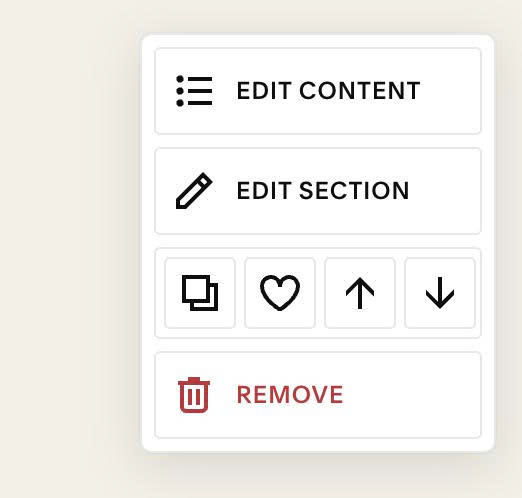
#1.2. Hover on top right of section > Click EDIT CONTENT
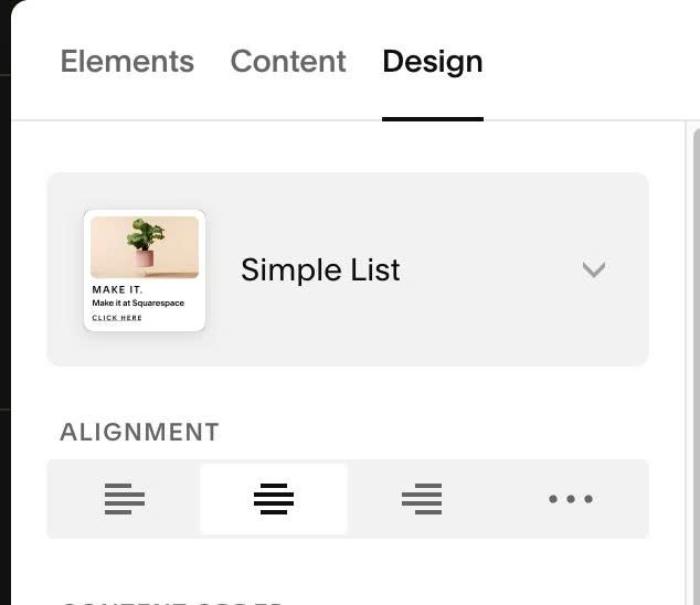
Choose Simple List
#1.3. Hover on top right of section > Click EDIT SECTION
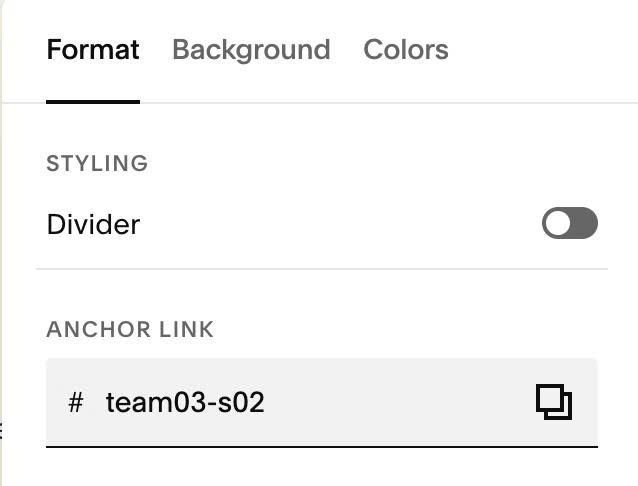
#1.4. at Format > Anchor Link > enter word: team03-s02
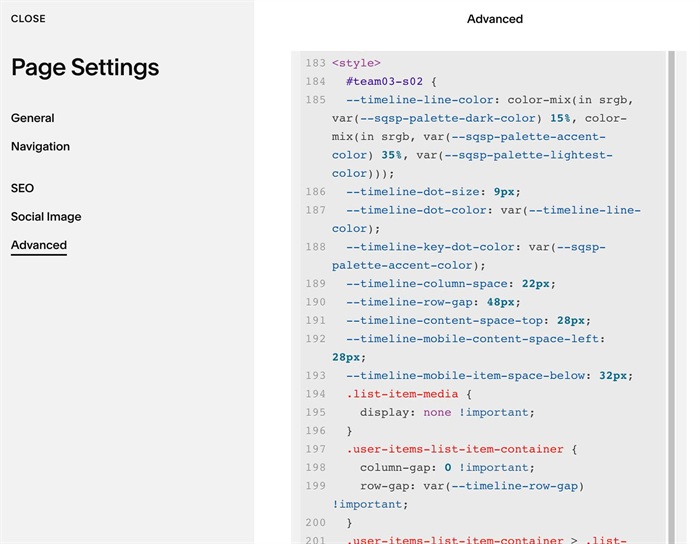
#1.5. Next, use this code to Page Header Injection (page where you use List Simple)
<style>
  #team03-s02 {
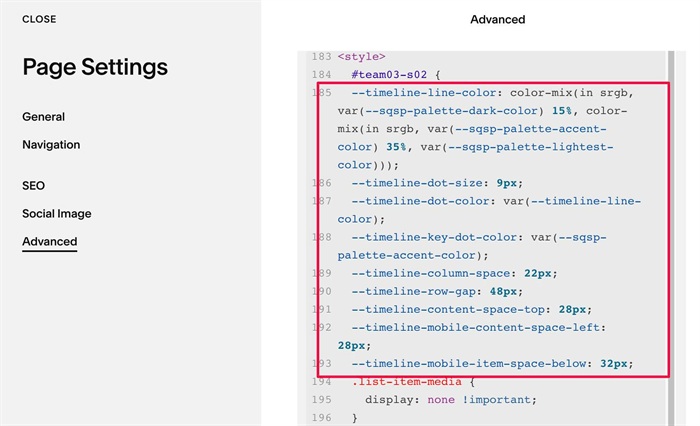
  --timeline-line-color: color-mix(in srgb, var(--sqsp-palette-dark-color) 15%, color-mix(in srgb, var(--sqsp-palette-accent-color) 35%, var(--sqsp-palette-lightest-color)));
  --timeline-dot-size: 9px;
  --timeline-dot-color: var(--timeline-line-color);
  --timeline-key-dot-color: var(--sqsp-palette-accent-color);
  --timeline-column-space: 22px;
  --timeline-row-gap: 48px;
  --timeline-content-space-top: 28px;
  --timeline-mobile-content-space-left: 28px;
  --timeline-mobile-item-space-below: 32px;
  .list-item-media {
    display: none !important;
  }
  .user-items-list-item-container {
    column-gap: 0 !important;
    row-gap: var(--timeline-row-gap) !important;
  }
  .user-items-list-item-container > .list-item {
    position: relative;
    margin: 0;
    padding: var(--timeline-content-space-top) var(--timeline-column-space) 0 0;
    border-top: 1px solid var(--timeline-line-color);
  }
  .user-items-list-item-container > .list-item::before {
    content: "";
    position: absolute;
    top: calc(var(--timeline-dot-size) / -2 - .5px);
    left: 0;
    width: var(--timeline-dot-size);
    height: var(--timeline-dot-size);
    border-radius: 50%;
    background-color: var(--timeline-dot-color);
  }
  .user-items-list-item-container > .list-item:nth-child(3)::before {
    background-color: var(--timeline-key-dot-color);
  }
  @media (max-width: 767px) {
    .user-items-list-item-container {
      row-gap: 0 !important;
    }
    .user-items-list-item-container > .list-item {
      padding: 0 0 var(--timeline-mobile-item-space-below) var(--timeline-mobile-content-space-left);
      border-top: 0;
      border-left: 1px solid var(--timeline-line-color);
    }
    .user-items-list-item-container > .list-item::before {
      top: 10px;
      left: calc(var(--timeline-dot-size) / -2 - .5px);
    }
  }
}
</style>
#1.6. Customize
You can change Line Color here
--timeline-line-color: color-mix(in srgb, var(--sqsp-palette-dark-color) 15%, color-mix(in srgb, var(--sqsp-palette-accent-color) 35%, var(--sqsp-palette-lightest-color)));
you can also use hex color or color name, something like this
--timeline-line-color: #f1f;
To change dot style, change these
--timeline-dot-size: 9px;
  --timeline-dot-color: var(--timeline-line-color);
  --timeline-key-dot-color: var(--sqsp-palette-accent-color);
to change space between list items (vertical space), change this
--timeline-column-space: 22px;
to change space between item text – line, change this
--timeline-content-space-top: 28px;
to change space on mobile, change these
--timeline-mobile-content-space-left: 28px;
  --timeline-mobile-item-space-below: 32px;