Description
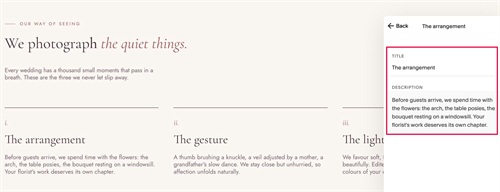
- This CSS gives a List Section a complete editorial look: a small label with a line in front, a heading that mixes bold and colored italic words, a short intro paragraph, and auto-numbered items (i., ii., iii.) with a line above each one.
- buy me a coffee
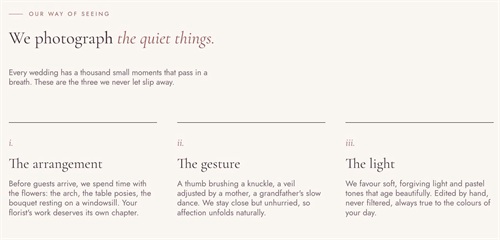
#1. Install Code
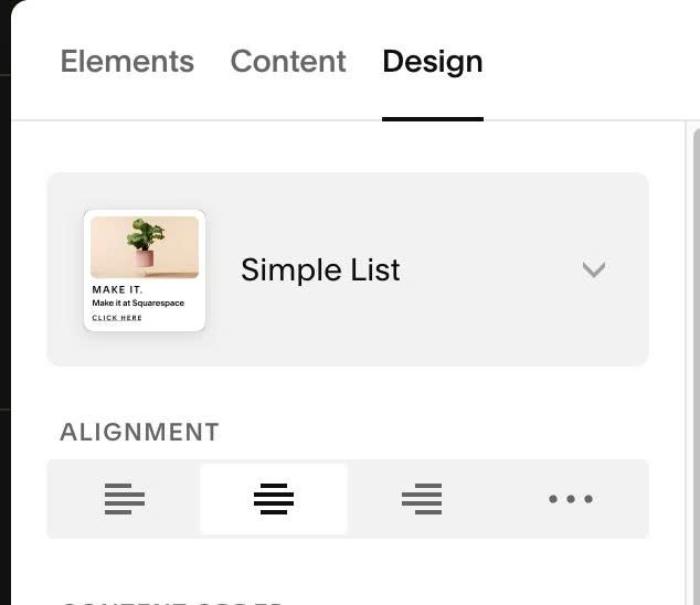
#1.1. Make sure you use List Section – Simple List
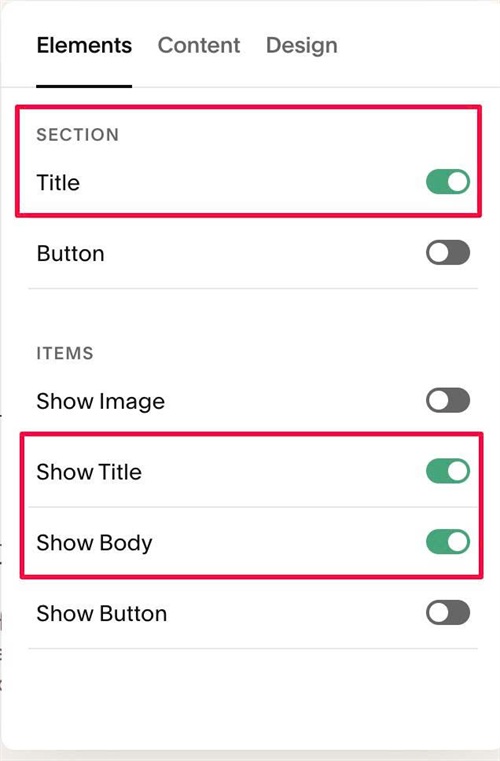
#1.2. Enable these options
#1.3. Edit Section Title > Enter text like this. Make sure make some words italic, so code can change its color.
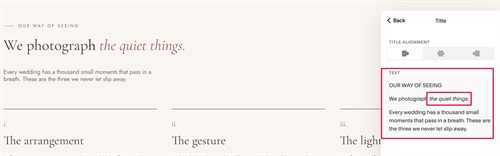
#1.3-2. Edit each item > Enter text like this
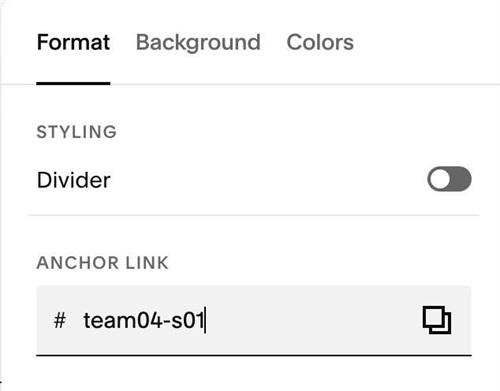
#1.4. Hover on top right of section > Click EDIT SECTION > at Format > Anchor Link > enter word: team04-s01
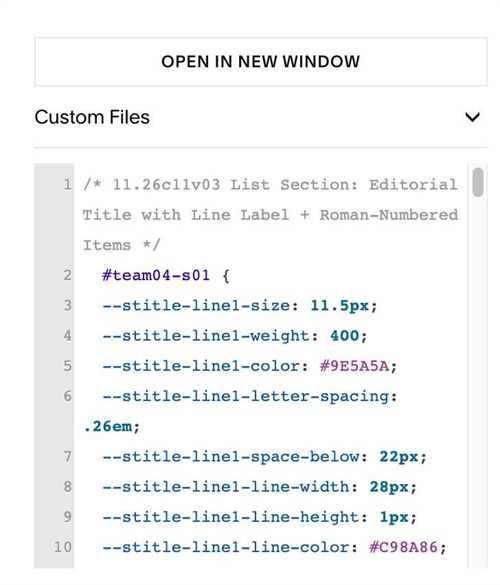
#1.5. Next, use this code to Custom CSS
/* 11.26c11v03 List Section: Editorial Title with Line Label + Roman-Numbered Items */
  #team04-s01 {
  --stitle-line1-size: 11.5px;
  --stitle-line1-weight: 400;
  --stitle-line1-color: #9E5A5A;
  --stitle-line1-letter-spacing: .26em;
  --stitle-line1-space-below: 22px;
  --stitle-line1-line-width: 28px;
  --stitle-line1-line-height: 1px;
  --stitle-line1-line-color: #C98A86;
  --stitle-line1-line-gap: 12px;
  --stitle-line2-line-height: 1.08;
  --stitle-line2-bold-weight: 500;
  --stitle-line2-italic-weight: 400;
  --stitle-line2-italic-color: #9E5A5A;
  --stitle-line3-size: 16px;
  --stitle-line3-color: #7A6570;
  --stitle-line3-max-width: 440px;
  --stitle-line3-space-above: 40px;
  --item-number-size: 20px;
  --item-number-color: #9E5A5A;
  --item-number-space-above: 0px;
  --item-number-space-below: 12px;
  --item-line-color: #47333D;
  --item-line-height: 1px;
  --item-line-width: 100%;
  --item-line-space-above: 0px;
  --item-line-space-below: 28px;
  .list-section-title {
    > p:nth-of-type(1) {
      display: flex;
      align-items: center;
      gap: var(--stitle-line1-line-gap);
      margin-bottom: var(--stitle-line1-space-below);
      font-family: var(--body-font-font-family);
      font-size: var(--stitle-line1-size);
      font-weight: var(--stitle-line1-weight);
      font-style: var(--body-font-font-style);
      line-height: var(--body-font-line-height);
      letter-spacing: var(--stitle-line1-letter-spacing);
      text-transform: var(--body-font-text-transform);
      color: var(--stitle-line1-color);
      &::before {
        content: "";
        flex: none;
        width: var(--stitle-line1-line-width);
        height: var(--stitle-line1-line-height);
        background-color: var(--stitle-line1-line-color);
      }
    }
    > p:nth-of-type(2) {
      line-height: var(--stitle-line2-line-height);
      strong {
        font-weight: var(--stitle-line2-bold-weight);
      }
      em {
        font-weight: var(--stitle-line2-italic-weight);
        color: var(--stitle-line2-italic-color);
      }
    }
    > p:nth-of-type(3) {
      max-width: var(--stitle-line3-max-width);
      margin-top: var(--stitle-line3-space-above);
      font-family: var(--body-font-font-family);
      font-size: var(--stitle-line3-size);
      font-weight: var(--body-font-font-weight);
      font-style: var(--body-font-font-style);
      line-height: var(--body-font-line-height);
      letter-spacing: var(--body-font-letter-spacing);
      text-transform: var(--body-font-text-transform);
      color: var(--stitle-line3-color);
    }
  }
  .user-items-list-item-container {
    counter-reset: item-number;
  }
  .list-item {
    counter-increment: item-number;
    &::before {
      content: "";
      display: block;
      flex: none;
      align-self: flex-start;
      width: var(--item-line-width);
      height: var(--item-line-height);
      margin-top: var(--item-line-space-above);
      margin-bottom: var(--item-line-space-below);
      background-color: var(--item-line-color);
    }
  }
  .list-item-content__title::before {
    content: counter(item-number, lower-roman) ".";
    display: block;
    margin-top: var(--item-number-space-above);
    margin-bottom: var(--item-number-space-below);
    font-family: var(--heading-font-font-family);
    font-size: var(--item-number-size);
    font-weight: var(--heading-font-font-weight);
    font-style: italic;
    line-height: 1.1;
    letter-spacing: 0;
    color: var(--item-number-color);
  }
}
#1.6. Customize
To change Section Title (Line 01) Style edit this
--stitle-line1-size: 11.5px;
  --stitle-line1-weight: 400;
  --stitle-line1-color: #9E5A5A;
  --stitle-line1-letter-spacing: .26em;
  --stitle-line1-space-below: 22px;
To change horizontal line style (before Line 01 text), edit this
--stitle-line1-line-width: 28px;
--stitle-line1-line-height: 1px;
--stitle-line1-line-color: #C98A86;
--stitle-line1-line-gap: 12px;
To change Section Title Style (Line 02, Line 03), edit this
--stitle-line2-line-height: 1.08;
--stitle-line2-bold-weight: 500;
--stitle-line2-italic-weight: 400;
--stitle-line2-italic-color: #9E5A5A;
--stitle-line3-size: 16px;
--stitle-line3-color: #7A6570;
--stitle-line3-max-width: 440px;
--stitle-line3-space-above: 40px;
To change number style, edit this
--item-number-size: 20px;
--item-number-color: #9E5A5A;
--item-number-space-above: 0px;
--item-number-space-below: 12px;
To change line (on top of each item), edit this
--item-line-color: #47333D;
--item-line-height: 1px;
--item-line-width: 100%;
--item-line-space-above: 0px;
--item-line-space-below: 28px;