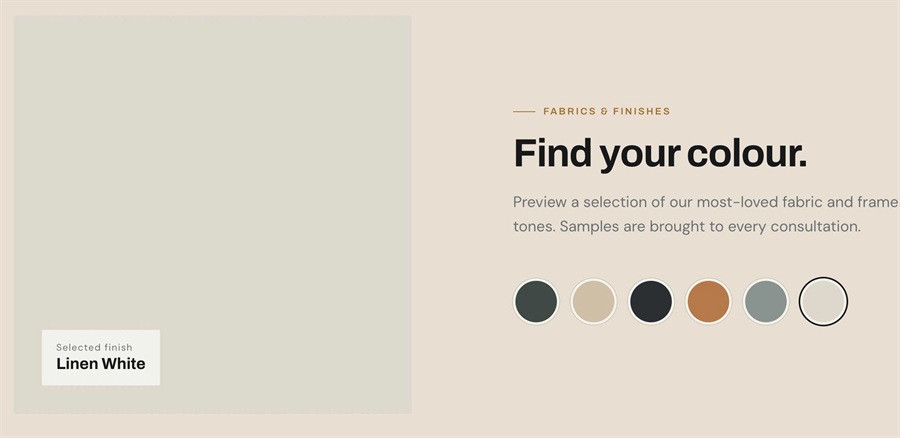
Want to show paint colors, fabric finishes or product colors on any page? Add one List Section item per color, put the name in the Title and a code like #2f3b45 in the Description, and this code builds the swatches and live preview for you.
#1. Install Code
#1.1. First adding a List Simple with 6 items
#1.2. Enable these
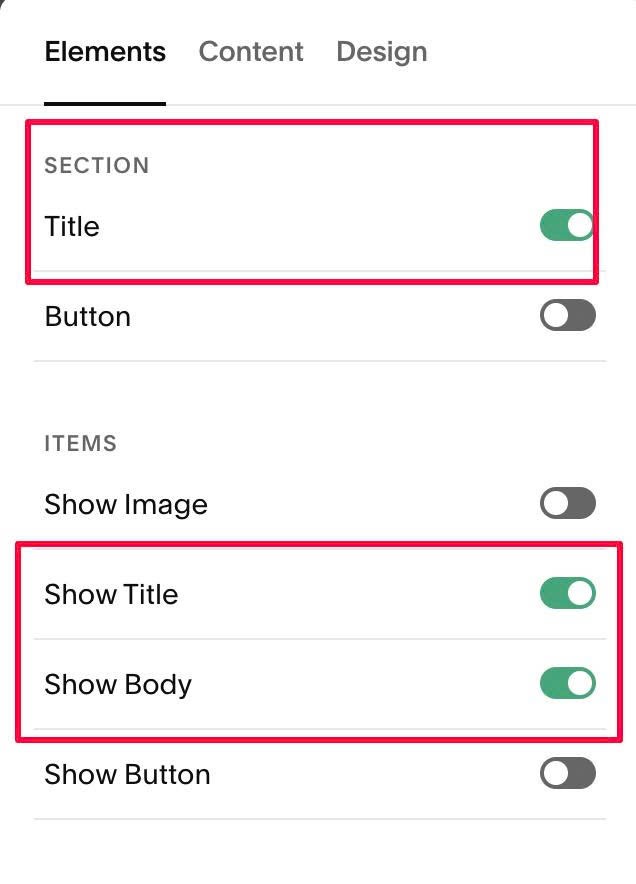
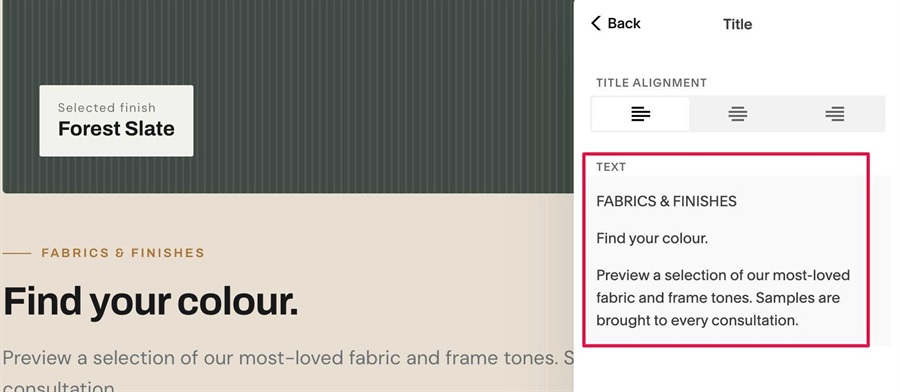
#1.3. Edit Section Title > Enter 3 paragraphs like this
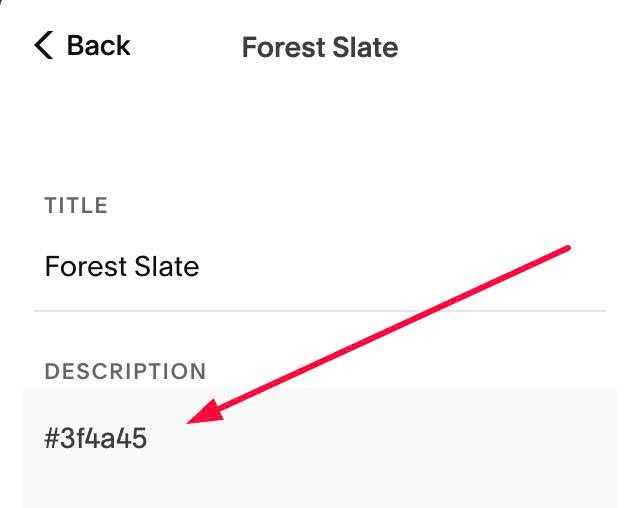
#1.4. Edit each item > Enter text like this. Make sure you use hex color name in Item Description
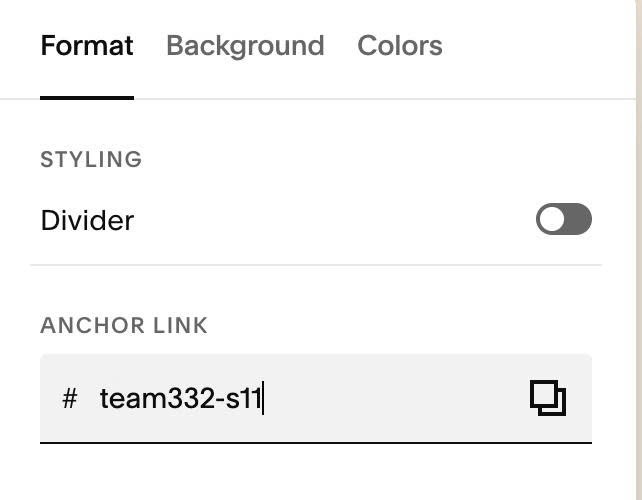
#1.5. Hover on top right of section > Click EDIT SECTION > at Format > Anchor Link > enter word: team332-s11
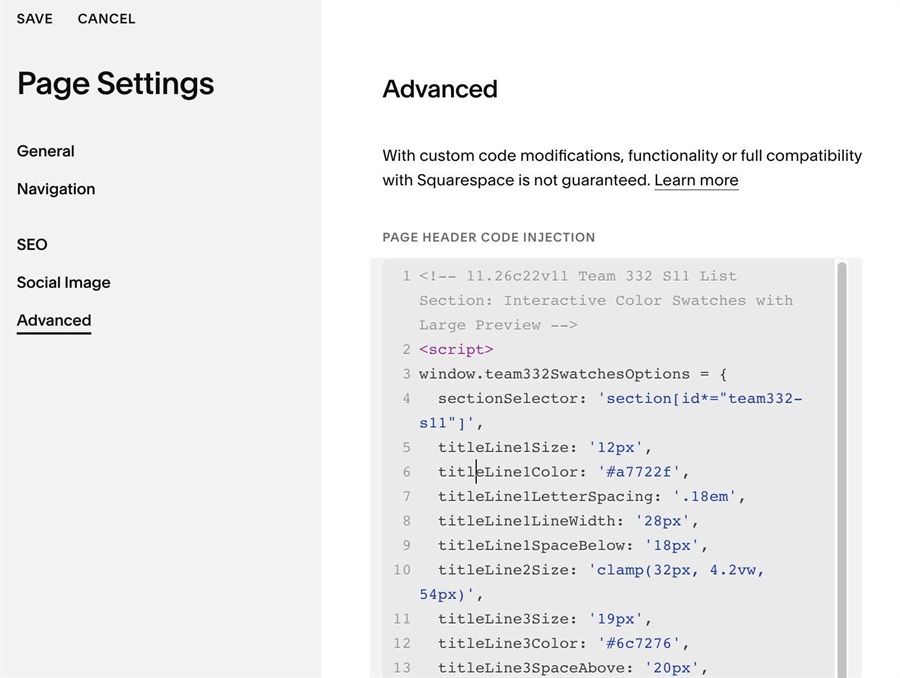
#1.6. Use this code to Page Header Injection
<!-- 11.26c22v11 Team 332 S11 List Section: Interactive Color Swatches with Large Preview -->
<script>
window.team332SwatchesOptions = {
  sectionSelector: 'section[id*="team332-s11"]',
  titleLine1Size: '12px',
  titleLine1Color: '#a7722f',
  titleLine1LetterSpacing: '.18em',
  titleLine1LineWidth: '28px',
  titleLine1SpaceBelow: '18px',
  titleLine2Size: 'clamp(32px, 4.2vw, 54px)',
  titleLine3Size: '19px',
  titleLine3Color: '#6c7276',
  titleLine3SpaceAbove: '20px',
  previewColumnWidth: '1fr',
  textColumnWidth: '1fr',
  columnGap: '80px',
  stackBelowWidth: '1100px',
  stackedGap: '50px',
  previewRatio: '1/1',
  previewRadius: '4px',
  previewPadding: '36px',
  previewStripes: true,
  previewSpeed: 600,
  labelText: 'Selected finish',
  labelBackgroundColor: '#f4f1eb',
  labelTextColor: '#16191b',
  labelSmallColor: '#6c7276',
  labelPadding: '14px 18px',
  labelRadius: '2px',
  labelNameSize: '20px',
  labelSmallSize: '12px',
  swatchesSpaceAbove: '30px',
  swatchSize: '58px',
  swatchGap: '14px',
  swatchBorderWidth: '3px',
  swatchBorderColor: '#f4f1eb',
  swatchRingColor: 'rgba(22,25,27,.12)',
  swatchActiveRingColor: '#16191b'
};
</script>
<script src="https://code.beaverhero.com/listsimple/1126c22v11team332s11.js"></script>
#1.7. Customize
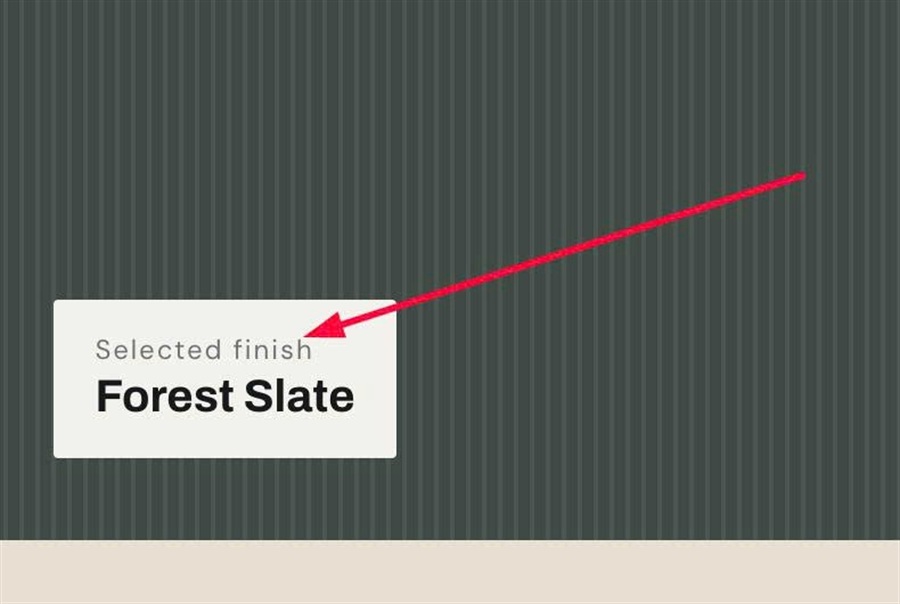
To change Label text, edit this
labelText: 'Selected finish',
To change style of Section Title (3 Paragraphs), edit this
titleLine1Size: '12px',
  titleLine1Color: '#a7722f',
  titleLine1LetterSpacing: '.18em',
  titleLine1LineWidth: '28px',
  titleLine1SpaceBelow: '18px',
  titleLine2Size: 'clamp(32px, 4.2vw, 54px)',
  titleLine3Size: '19px',
  titleLine3Color: '#6c7276',
  titleLine3SpaceAbove: '20px',
To change Left, Right Columns Width + Space between them, edit this
previewColumnWidth: '1fr',
  textColumnWidth: '1fr',
  columnGap: '80px',
To change Label text style, edit this
labelBackgroundColor: '#f4f1eb',
  labelTextColor: '#16191b',
  labelSmallColor: '#6c7276',
  labelPadding: '14px 18px',
  labelRadius: '2px',
  labelNameSize: '20px',
  labelSmallSize: '12px',
To change Swatch style, edit this
swatchesSpaceAbove: '30px',
 swatchSize: '58px',
 swatchGap: '14px',
 swatchBorderWidth: '3px',
 swatchBorderColor: '#f4f1eb',
 swatchRingColor: 'rgba(22,25,27,.12)',
 swatchActiveRingColor: '#16191b'