Squarespace doesn’t have a hero section with animated numbers, and the section title can’t have a label, a highlighted heading and buttons side by side. This code turns a List Section into a full-screen hero: the title paragraphs become label, heading, description and buttons, and each list item becomes a stat that counts up on scroll (e.g. “140+ Weddings”).

#1. Install Code
#1.1. First, adding a List Simple
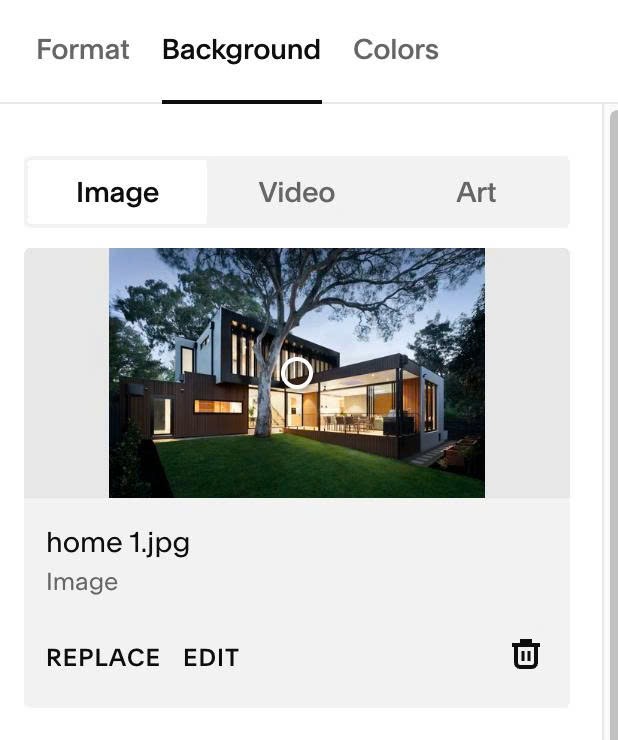
#1.2. Next, upload a background image
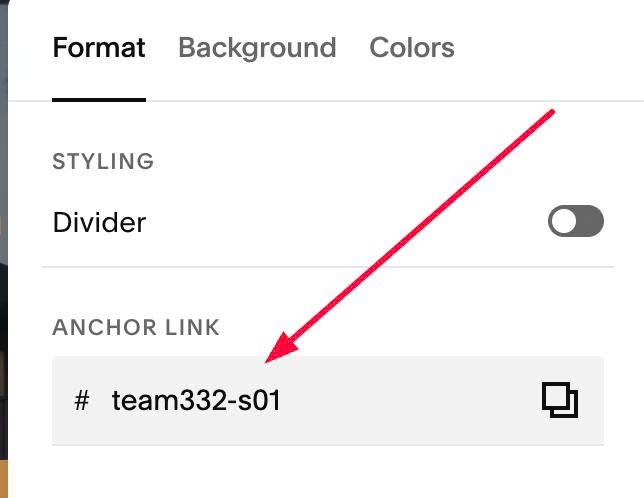
#1.3. Next, at Anchor Link > enter word: team332-s01
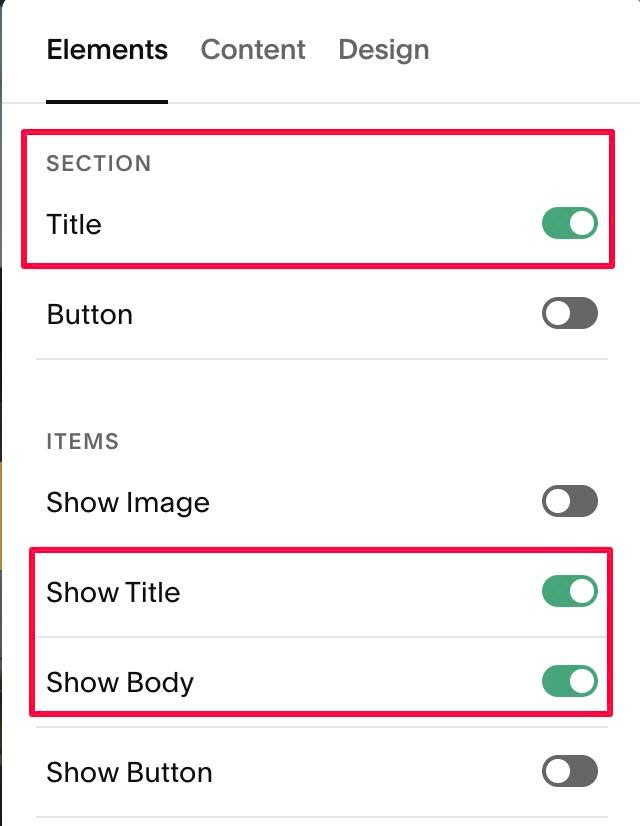
#1.4. Edit List > Enable these
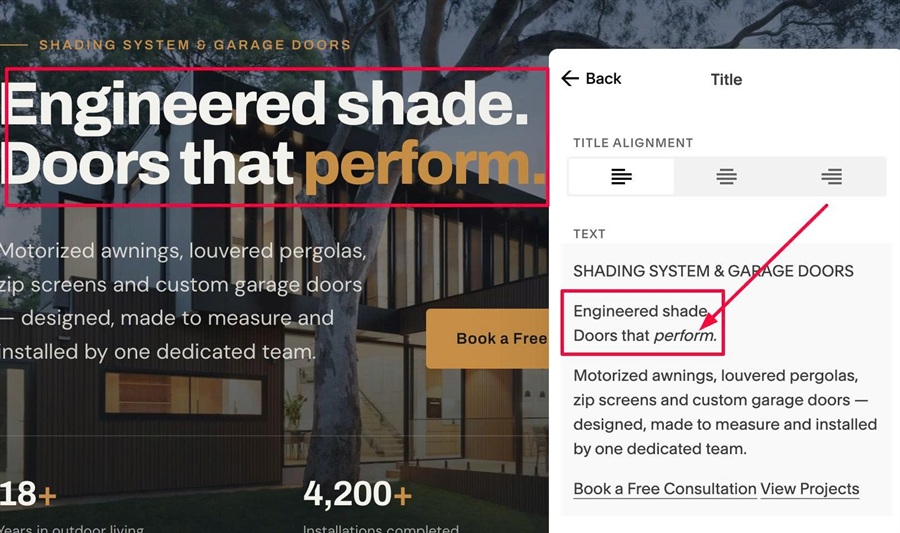
#1.5. Edit Section Title > Enter text like this. Use 4 Paragraphs
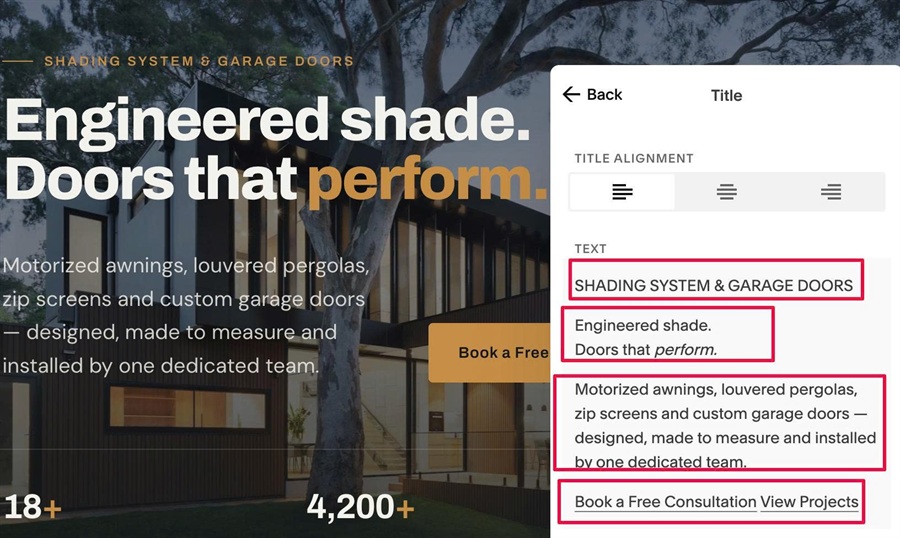
Use Shift Enter or Shift Return to add line break. Make word italic then code will change its color.
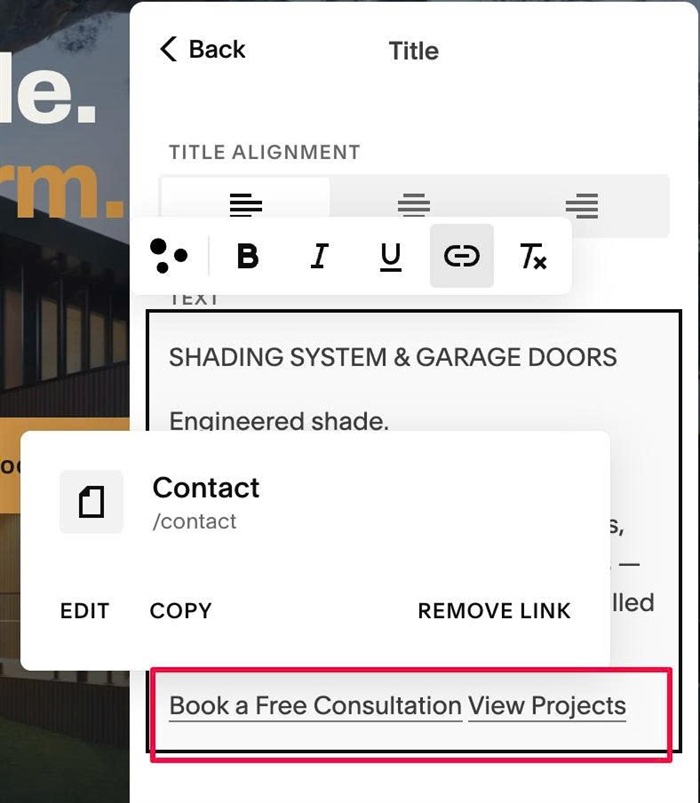
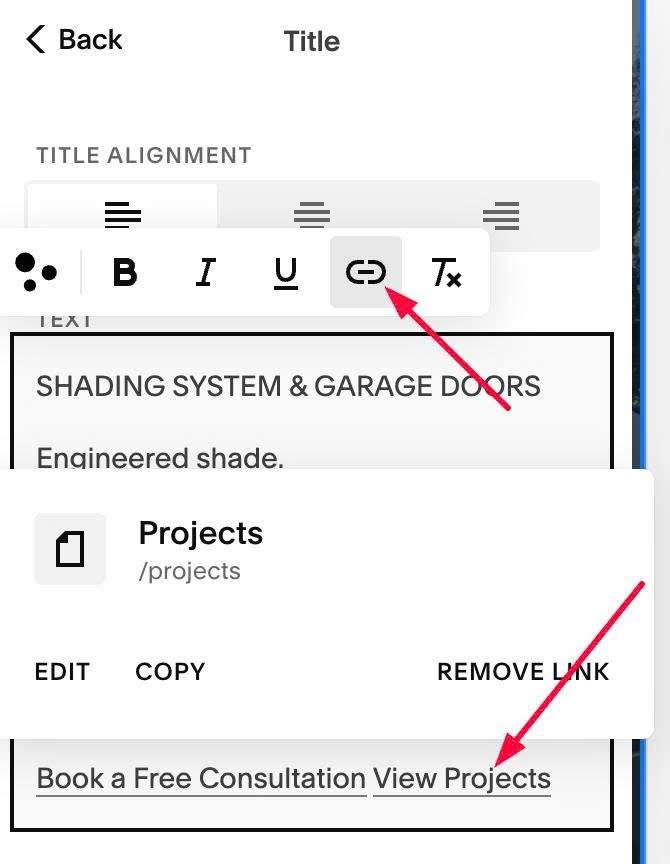
Add desired links to both text
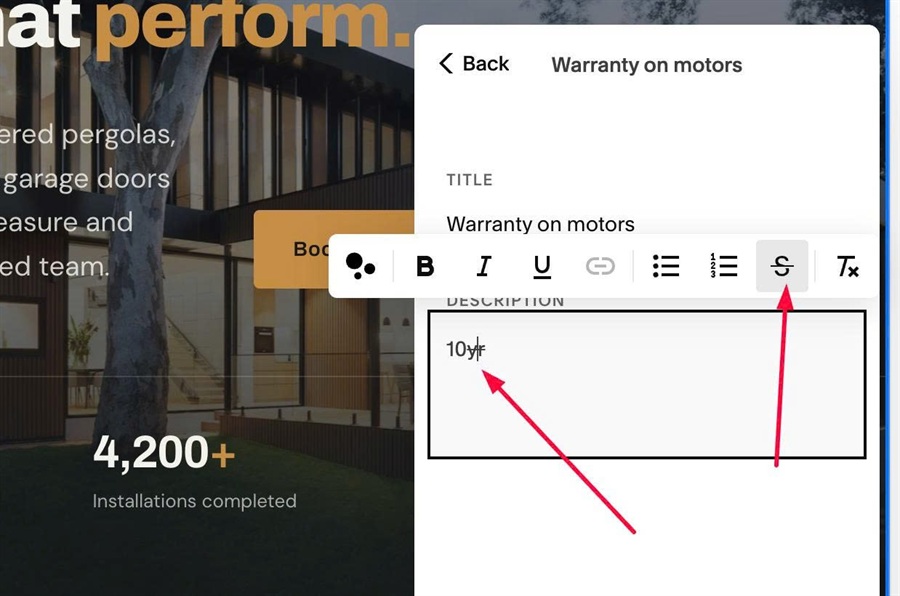
#1.6. Edit each item > Enter text like this
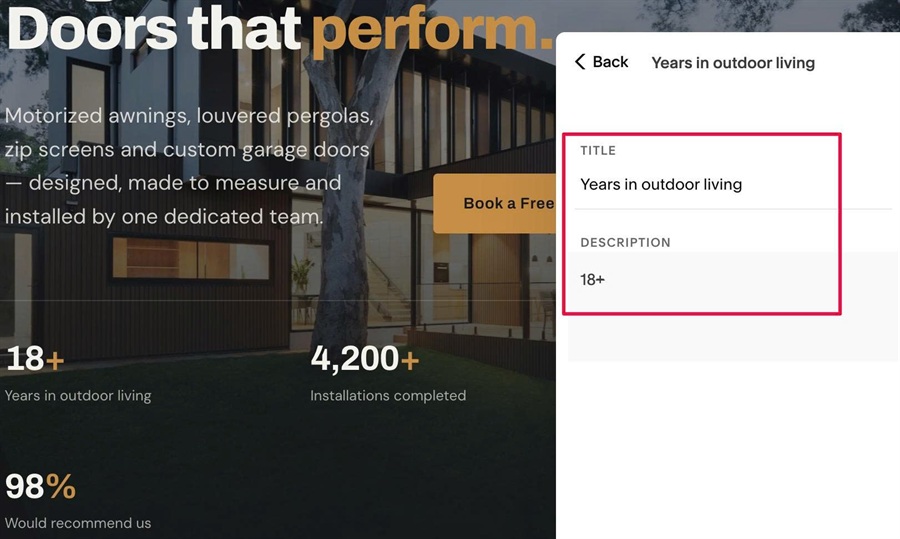
Make sure you use Strikethrough for yrs, +…
#1.7. Use code to Page Header Injection
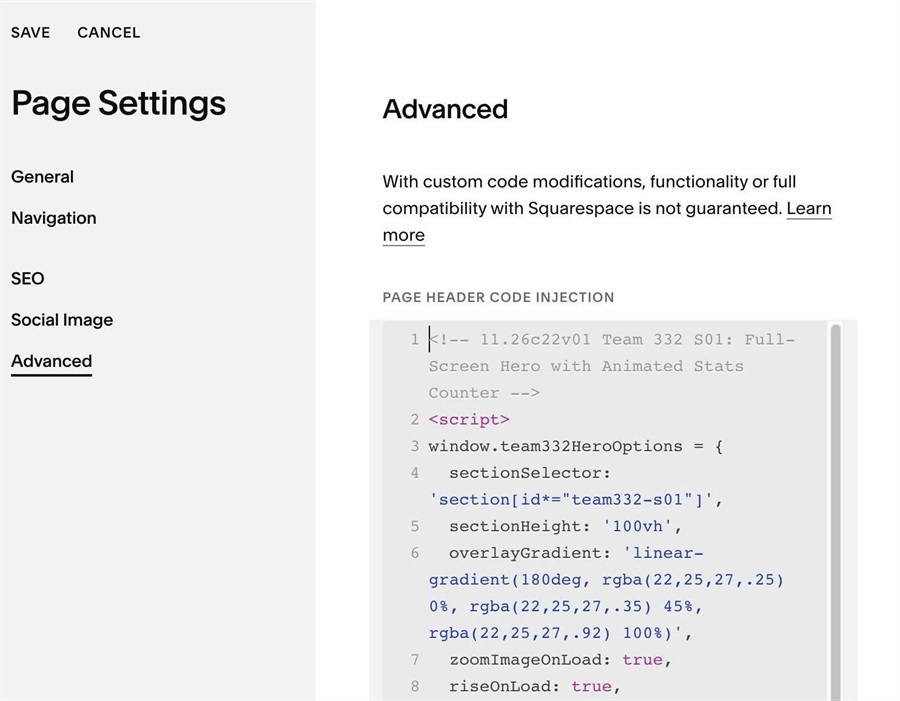
<!-- 11.26c22v01 Team 332 S01: Full-Screen Hero with Animated Stats Counter -->
<script>
window.team332HeroOptions = {
  sectionSelector: 'section[id*="team332-s01"]',
  sectionHeight: '100vh',
  overlayGradient: 'linear-gradient(180deg, rgba(22,25,27,.25) 0%, rgba(22,25,27,.35) 45%, rgba(22,25,27,.92) 100%)',
  zoomImageOnLoad: true,
  riseOnLoad: true,
  titleLine1Size: '12px',
  titleLine1Color: '#c58d45',
  titleLine1LetterSpacing: '.18em',
  titleLine1LineWidth: '28px',
  titleLine1SpaceBelow: '18px',
  titleLine2Size: 'clamp(42px, 6.4vw, 88px)',
  titleLine2HighlightColor: '#c58d45',
  titleLine3Size: '19px',
  titleLine3Color: 'rgba(244,241,235,.82)',
  titleLine3MaxWidth: '500px',
  titleRowSpaceAbove: '36px',
  buttonFontSize: '14px',
  buttonPadding: '16px 26px',
  buttonRadius: '4px',
  buttonGap: '12px',
  button1BackgroundColor: '#c58d45',
  button1TextColor: '#16191b',
  button1HoverBackgroundColor: '#f4f1eb',
  button1HoverTextColor: '#16191b',
  button1Arrow: true,
  button2BorderColor: 'rgba(244,241,235,.4)',
  button2TextColor: '#f4f1eb',
  button2HoverBackgroundColor: '#f4f1eb',
  button2HoverTextColor: '#16191b',
  listLineColor: 'rgba(244,241,235,.14)',
  numberSpaceAbove: '26px',
  numberLabelSpace: '8px',
  numberSuffixColor: '#c58d45',
  countUp: true,
  countDuration: 1600,
  listColumnsMobile: 2
};
</script>
<script src="https://code.beaverhero.com/listsimple/1126c22v01team332s01.js"></script>
#1.8. Customize
To set overlay gradient color over image, use this
overlayGradient: 'linear-gradient(180deg, rgba(22,25,27,.25) 0%, rgba(22,25,27,.35) 45%, rgba(22,25,27,.92) 100%)',
To change style of First Paragraph in Section Title + Line before First Paragraph, edit this
titleLine1Size: '12px',
 titleLine1Color: '#c58d45',
 titleLine1LetterSpacing: '.18em',
 titleLine1LineWidth: '28px',
 titleLine1SpaceBelow: '18px',

To change style of Second Paragraph in Section Title, edit this
titleLine2Size: 'clamp(42px, 6.4vw, 88px)',
  titleLine2HighlightColor: '#c58d45',

To change style of Third Paragraph, edit this
titleLine2HighlightColor: '#c58d45',
  titleLine3Size: '19px',
  titleLine3Color: 'rgba(244,241,235,.82)',
  titleLine3MaxWidth: '500px',

To change style of 2 buttons, edit this
buttonFontSize: '14px',
  buttonPadding: '16px 26px',
  buttonRadius: '4px',
  buttonGap: '12px',
  button1BackgroundColor: '#c58d45',
  button1TextColor: '#16191b',
  button1HoverBackgroundColor: '#f4f1eb',
  button1HoverTextColor: '#16191b',
  button1Arrow: true,
  button2BorderColor: 'rgba(244,241,235,.4)',
  button2TextColor: '#f4f1eb',
  button2HoverBackgroundColor: '#f4f1eb',
  button2HoverTextColor: '#16191b',

To change style of Line above List, edit this
listLineColor: 'rgba(244,241,235,.14)',
To change Number, Symbol (yrs, +) next to Number, edit this
numberSpaceAbove: '26px',
  numberLabelSpace: '8px',
  numberSuffixColor: '#c58d45',