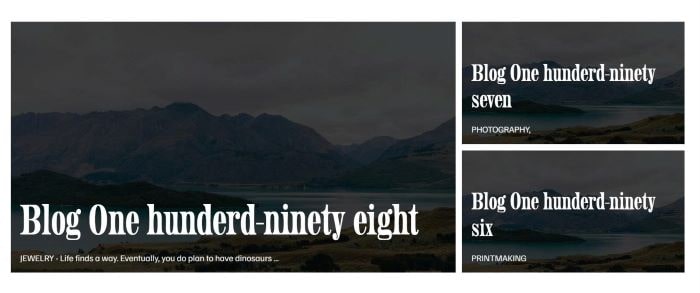
To achieve Blog Grid layout like this.
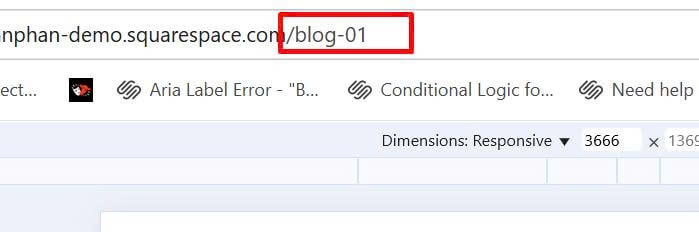
#1. First, find Blog Page
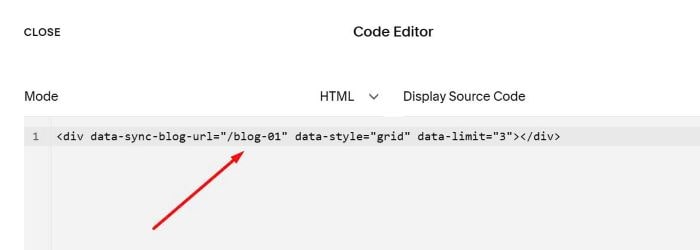
#2. Edit Page where you want to place this layout > Add a Code Block > Paste this syntax into Code Block
<div data-sync-blog-url="/blog-01" data-style="grid" data-limit="3"></div>
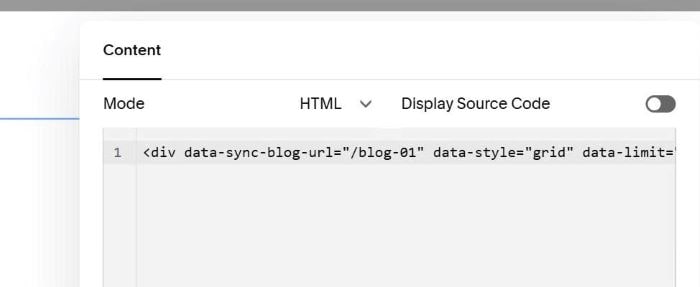
Remember to update Blog Page URL
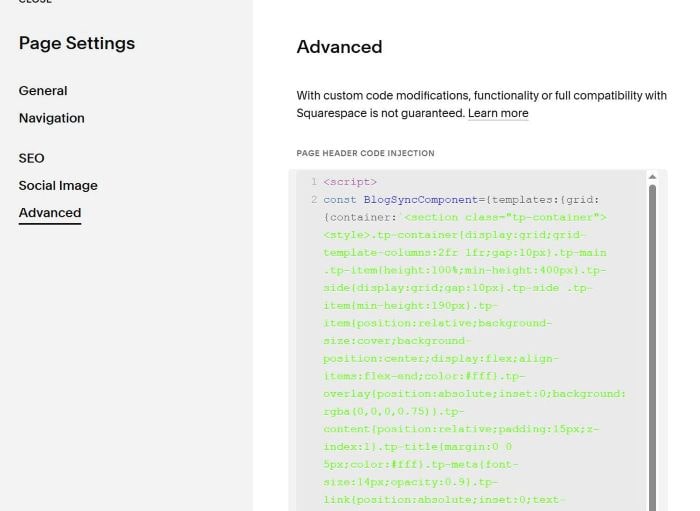
#3. Use this code to Page Header Injection (page where you use Code Block)
<script>
const BlogSyncComponent={templates:{grid:{container:`<section class="tp-container"><style>.tp-container{display:grid;grid-template-columns:2fr 1fr;gap:10px}.tp-main .tp-item{height:100%;min-height:400px}.tp-side{display:grid;gap:10px}.tp-side .tp-item{min-height:190px}.tp-item{position:relative;background-size:cover;background-position:center;display:flex;align-items:flex-end;color:#fff}.tp-overlay{position:absolute;inset:0;background:rgba(0,0,0,0.75)}.tp-content{position:relative;padding:15px;z-index:1}.tp-title{margin:0 0 5px;color:#fff}.tp-meta{font-size:14px;opacity:0.9}.tp-link{position:absolute;inset:0;text-decoration:none;z-index:2}@media(max-width:767px){.tp-container{grid-template-columns:1fr}}</style><div class="tp-main"></div><div class="tp-side"></div></section>`,mainItem:`<div class="tp-item" style="background-image:url('{blogImage}')"><a class="tp-link" href="{blogUrl}"></a><div class="tp-overlay"></div><div class="tp-content"><h2 class="tp-title">{blogTitle}</h2><p class="tp-meta">{blogCategory} - {blogExcerpt}</p></div></div>`,smallItem:`<div class="tp-item" style="background-image:url('{blogImage}')"><a class="tp-link" href="{blogUrl}"></a><div class="tp-overlay"></div><div class="tp-content"><h3 class="tp-title">{blogTitle}</h3><p class="tp-meta">{blogCategory}</p></div></div>`}},initialize(){document.addEventListener('DOMContentLoaded',()=>{this.processComponents()})},processComponents(){const syncElements=document.querySelectorAll('[data-sync-blog-url]');syncElements.forEach(element=>{this.setupComponent(element)})},async setupComponent(element){const blogPath=element.getAttribute('data-sync-blog-url');const templateStyle=element.getAttribute('data-style')||'grid';const maxItems=parseInt(element.getAttribute('data-limit'))||5;const template=this.templates[templateStyle];if(!template){console.error(`Template "${templateStyle}" not found`);return}element.innerHTML=template.container;try{const blogData=await this.fetchBlogData(blogPath,maxItems);this.populateGridItems(element,blogData,template)}catch(error){console.error('Failed to load blog data:',error)}},async fetchBlogData(blogPath,maxItems){const response=await fetch(`${blogPath}?format=json`);const jsonData=await response.json();return jsonData.items.slice(0,maxItems).map((post,index)=>({blogTitle:post.title,blogExcerpt:this.cleanHtmlText(post.excerpt||''),blogCategory:this.extractCategory(post.categories||[]),blogUrl:post.fullUrl,blogImage:post.assetUrl||post.imageUrl||'',itemNumber:index+1}))},extractCategory(categories){if(categories&&categories.length>0){return categories[0].toUpperCase()}return'BLOG'},cleanHtmlText(htmlContent){const tempDiv=document.createElement('div');tempDiv.innerHTML=htmlContent;const text=tempDiv.textContent||tempDiv.innerText||'';return text.length>60?text.substring(0,60)+'...':text},populateGridItems(element,blogPosts,template){const mainContainer=element.querySelector('.tp-main');const sideContainer=element.querySelector('.tp-side');let mainHtml='';let sideHtml='';blogPosts.forEach((post,index)=>{if(index===0){mainHtml=template.mainItem.replace(/{blogTitle}/g,post.blogTitle).replace(/{blogExcerpt}/g,post.blogExcerpt).replace(/{blogCategory}/g,post.blogCategory).replace(/{blogUrl}/g,post.blogUrl).replace(/{blogImage}/g,post.blogImage)}else{sideHtml+=template.smallItem.replace(/{blogTitle}/g,post.blogTitle).replace(/{blogCategory}/g,post.blogCategory).replace(/{blogUrl}/g,post.blogUrl).replace(/{blogImage}/g,post.blogImage)}});mainContainer.innerHTML=mainHtml;sideContainer.innerHTML=sideHtml}};BlogSyncComponent.initialize();
</script>