Description
- scroll, change background color then show main content
- view demo – password: abc
- buy me a coffee

#1. Install Code
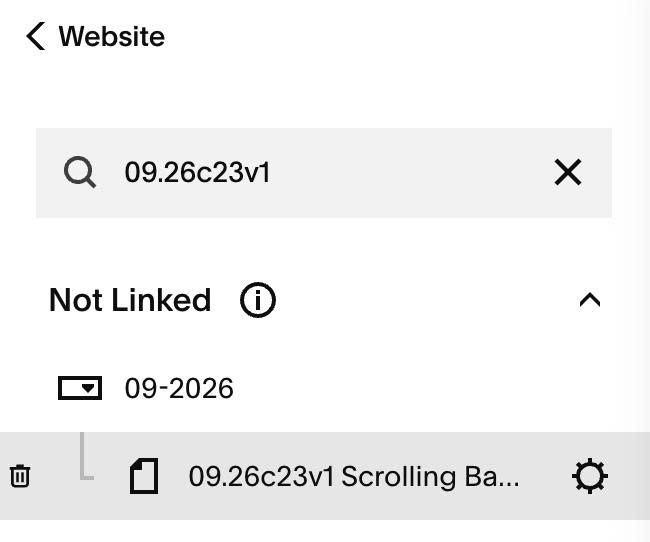
#1.1. Hover on Page where you want to add this effect > Click Gear icon
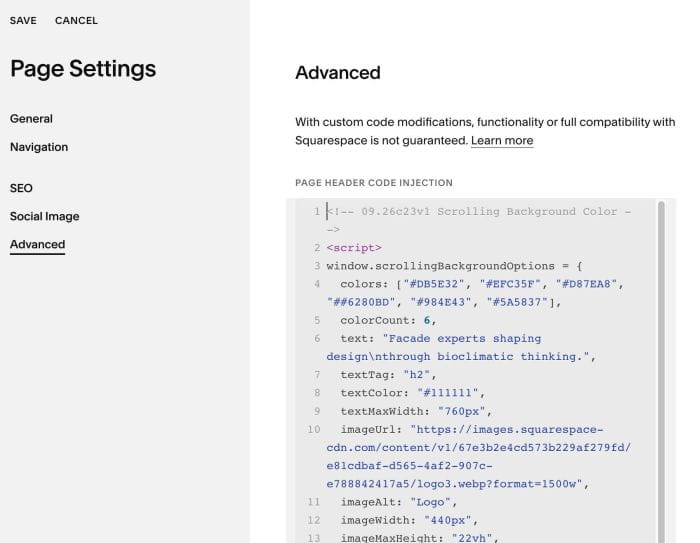
#1.2. Click Advanced > Paste this code
<!-- 09.26c23v1 Scrolling Background Color -->
<script>
window.scrollingBackgroundOptions = {
  colors: ["#DB5E32", "#EFC35F", "#D87EA8", "##6280BD", "#984E43", "#5A5837"],
  colorCount: 6,
  text: "Facade experts shaping design\nthrough bioclimatic thinking.",
  textTag: "h2",
  textColor: "#111111",
  textMaxWidth: "760px",
  imageUrl: "https://images.squarespace-cdn.com/content/v1/67e3b2e4cd573b229af279fd/e81cdbaf-d565-4af2-907c-e788842417a5/logo3.webp?format=1500w",
  imageAlt: "Logo",
  imageWidth: "440px",
  imageMaxHeight: "22vh",
  topSpacing: "8vh",
  bottomSpacing: "5vh",
  transitionDuration: 450,
  scrollCooldown: 650,
  scrollThreshold: 35,
  gestureGap: 180
};
</script>
<script src="https://code.beaverhero.com/other/0926c23v1scrollbgcolor.js"></script>
#2. Customize
#2.1. You can change text/logo url here (line 06, line 10)
text: "Facade experts shaping design\nthrough bioclimatic thinking.",
 imageUrl: "https://images.squarespace-cdn.com/content/v1/67e3b2e4cd573b229af279fd/e81cdbaf-d565-4af2-907c-e788842417a5/logo3.webp?format=1500w",
#2.2. You can change background color (line 04, 05)
colors: ["#DB5E32", "#EFC35F", "#D87EA8", "##6280BD", "#984E43", "#5A5837"],
colorCount: 6,
#2.3. To change text size on mobile, use this under main code
<style>
    @media screen and (max-width:767px) {
  h2.sbc-heading {
    font-size: 20px;
}
  }
</style>