Description
- turn portfolio pagination to section with background image, back to button, next project button and some other texts
- view demo (scroll down to bottom to see demo) – password: abc
- buy me a coffee

#1. Install Code
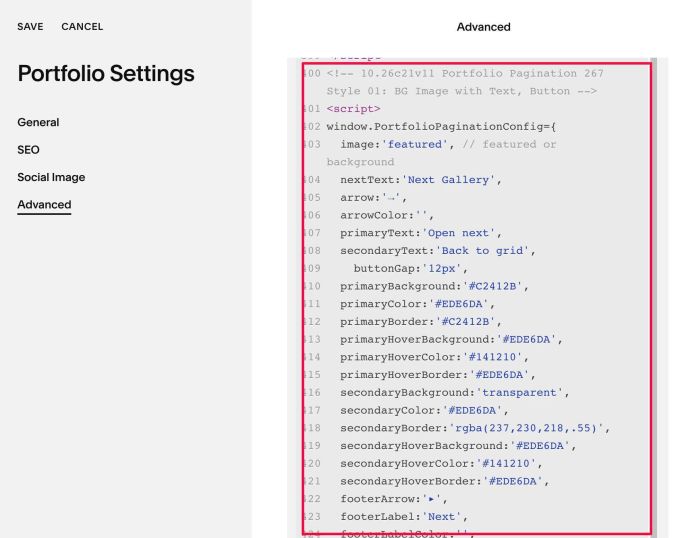
#1.1. You can use this code to Portfolio Page Header Injection
<!-- 10.26c21v11 Portfolio Pagination 267 Style 01: BG Image with Text, Button -->
<script>
window.PortfolioPaginationConfig={
  image:'featured', // featured or background
  nextText:'Next Gallery',
  arrow:'→',
  arrowColor:'',
  primaryText:'Open next',
  secondaryText:'Back to grid',
    buttonGap:'12px',
  primaryBackground:'#C2412B',
  primaryColor:'#EDE6DA',
  primaryBorder:'#C2412B',
  primaryHoverBackground:'#EDE6DA',
  primaryHoverColor:'#141210',
  primaryHoverBorder:'#EDE6DA',
  secondaryBackground:'transparent',
  secondaryColor:'#EDE6DA',
  secondaryBorder:'rgba(237,230,218,.55)',
  secondaryHoverBackground:'#EDE6DA',
  secondaryHoverColor:'#141210',
  secondaryHoverBorder:'#EDE6DA',
  footerArrow:'▸',
  footerLabel:'Next',
  footerLabelColor:'',
  footerText:'Safelight 400',
  footerGap:'28px',
  textTransform:'uppercase',
  gridUrl:'',
  loop:true,
  overlay:true,
  buttonSpace:'28px',
  contentSpace:'36px',
  bottomSpace:'22px'
};
</script>
<script src="https://code.beaverhero.com/portfolio/1026c21v11portfoliopagination267style01bgimg.js"></script>
#2. Customize
#2.1. You can change some text in the code
nextText:'Next Gallery',
arrow:'→',
primaryText:'Open next',
secondaryText:'Back to grid',
footerArrow:'▸',
  footerLabel:'Next',
footerText:'Safelight 400',

#2.2. To change style of 2 buttons, change these lines
primaryBackground:'#C2412B',
  primaryColor:'#EDE6DA',
  primaryBorder:'#C2412B',
  primaryHoverBackground:'#EDE6DA',
  primaryHoverColor:'#141210',
  primaryHoverBorder:'#EDE6DA',
  secondaryBackground:'transparent',
  secondaryColor:'#EDE6DA',
  secondaryBorder:'rgba(237,230,218,.55)',
  secondaryHoverBackground:'#EDE6DA',
  secondaryHoverColor:'#141210',
  secondaryHoverBorder:'#EDE6DA',
#2.3. To change space between 2 buttons
buttonGap:'12px',
#2.4. To change space between elements
buttonSpace:'28px',
  contentSpace:'36px',
  bottomSpace:'22px'
#2.5. Other options, you can discover in the code