To add Tabs Plugin on Squarespace 7.0 version (template supports Index Page).
- Support: [email protected] (or Email/Slack me)
- Free install (1 site/1 license)
#1. Install code
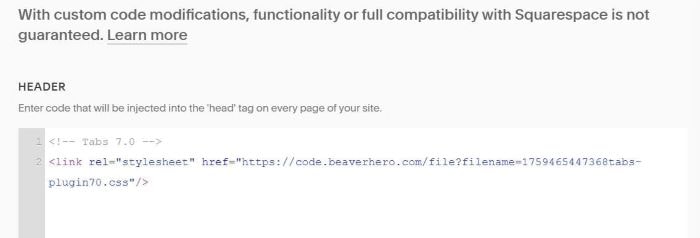
Add this code to Code Injection > Header
<!-- Tabs 7.0 -->
<link rel="stylesheet" href="https://code.beaverhero.com/file?filename=1759465447368tabs-plugin70.css"/>
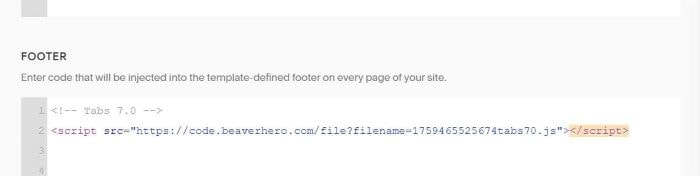
Next, add this code to Code Injection > Footer
<!-- Tabs 7.0 -->
<script src="https://code.beaverhero.com/file?filename=1759465525674tabs70.js"></script>
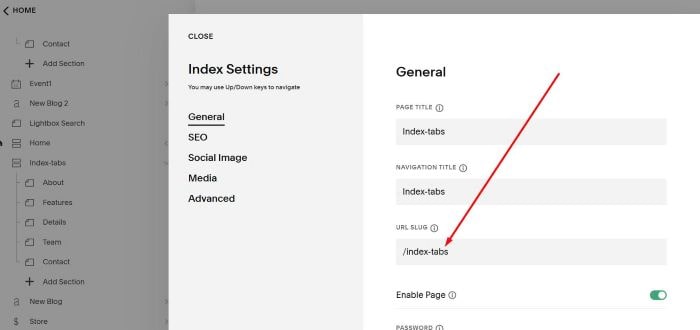
Next, add an Index Page with Sections, like this
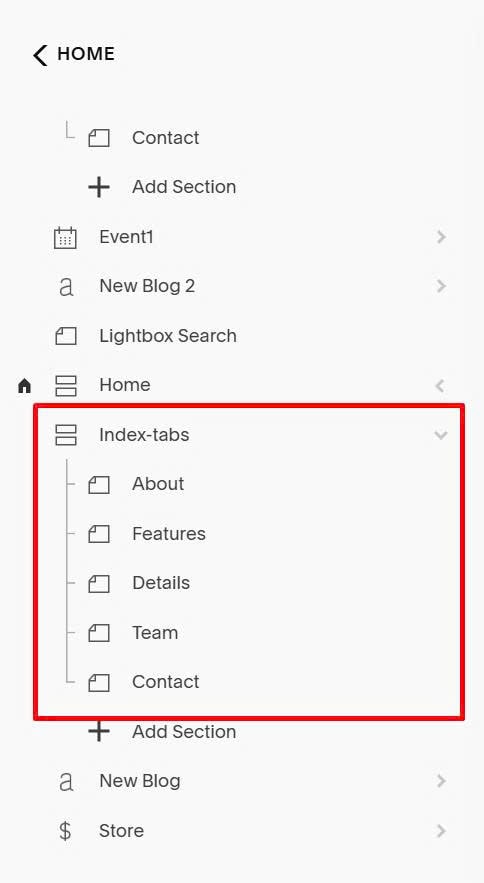
Next, find Index Page URL. In my example, it is: /index-tabs
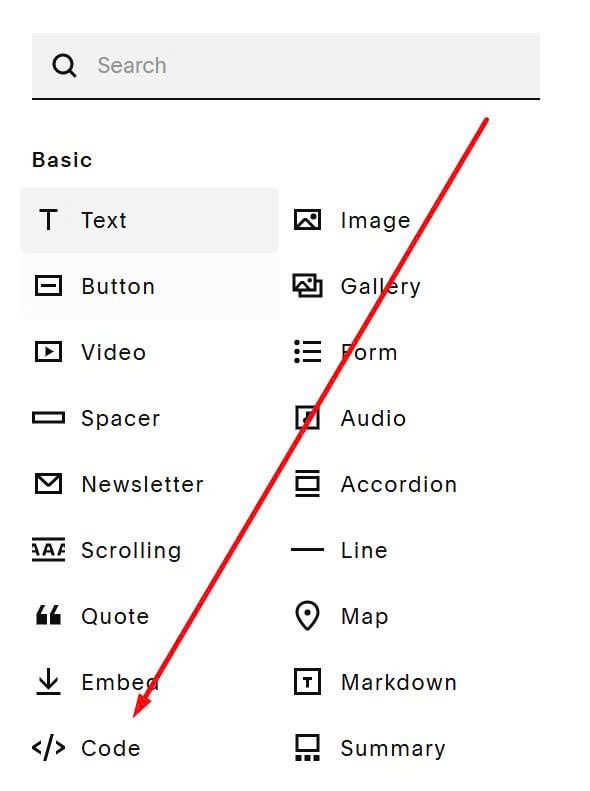
Next, edit Page where you want to place Tabs > Add a Code Block
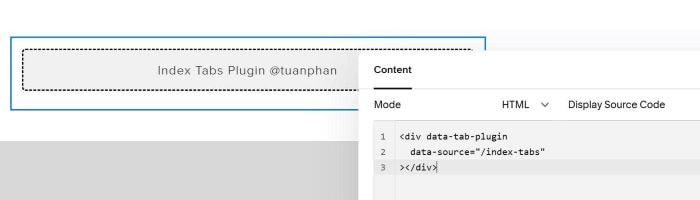
Paste this code into Code Block. Remember to update Index Page URL
<div data-tab-plugin
  data-source="/index-tabs"
></div>
#2. Customize
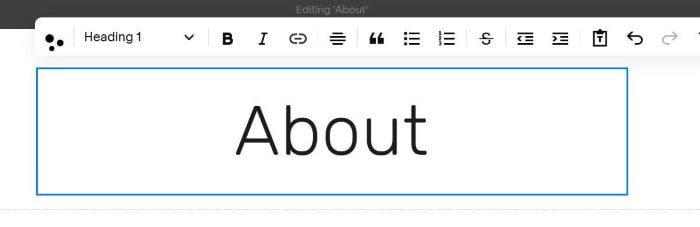
#2.1. Plugin will use Heading 1 in Index Section to make Accordion Title

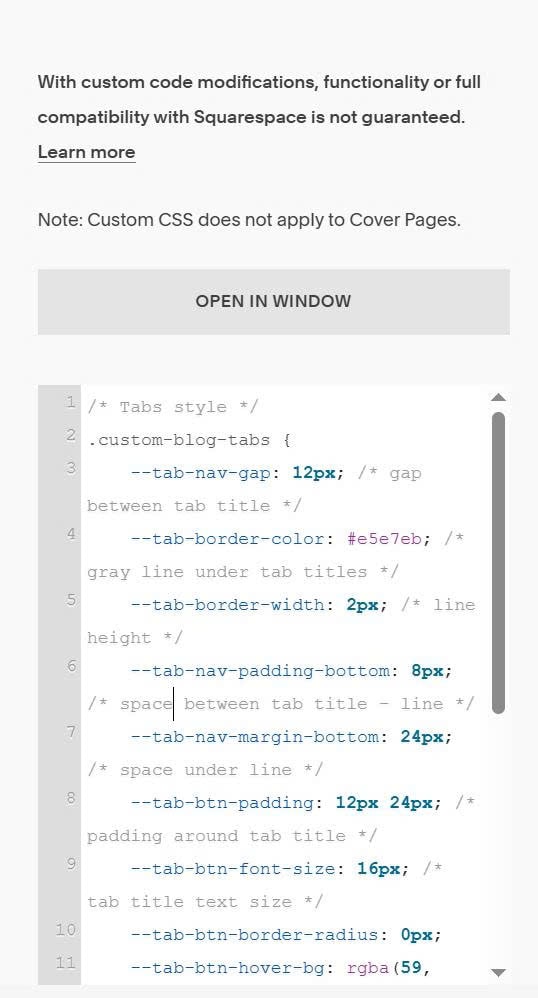
#2.2. To change style of tabs, use this code to Custom CSS
/* Tabs style */
.custom-blog-tabs {
    --tab-nav-gap: 12px; /* gap between tab title */
    --tab-border-color: #e5e7eb; /* gray line under tab titles */
    --tab-border-width: 2px; /* line height */
    --tab-nav-padding-bottom: 8px; /* space between tab title - line */
    --tab-nav-margin-bottom: 24px; /* space under line */
    --tab-btn-padding: 12px 24px; /* padding around tab title */
    --tab-btn-font-size: 16px; /* tab title text size */
    --tab-btn-border-radius: 0px;
    --tab-btn-hover-bg: rgba(59, 130, 246, 0.1); /* tab title background on hover */
    --tab-active-indicator-height: 3px; /* active line height */
    --tab-active-indicator-color: #3b82f6; /* active line color */
    --tab-active-indicator-radius: 3px; /* active line round corners */
    --tab-active-indicator-bottom: -10px; /* space between active line - gray line */
    --tab-transition-duration: 0.3s;
    --tab-animation-translate: 10px;
}