Description
- Want to list your services in one neat line, like “● Weddings ● Portraits ● Editorial”? Write them as a bullet list and this CSS lays them out horizontally with colored dots and a divider line on top.
- buy me a coffee

#1. Install Code
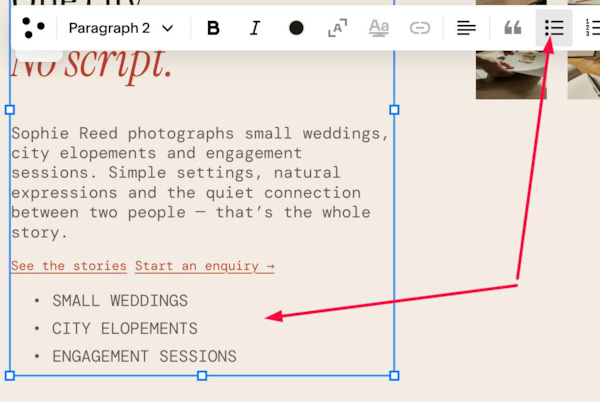
#1.1. First, add an unordered list
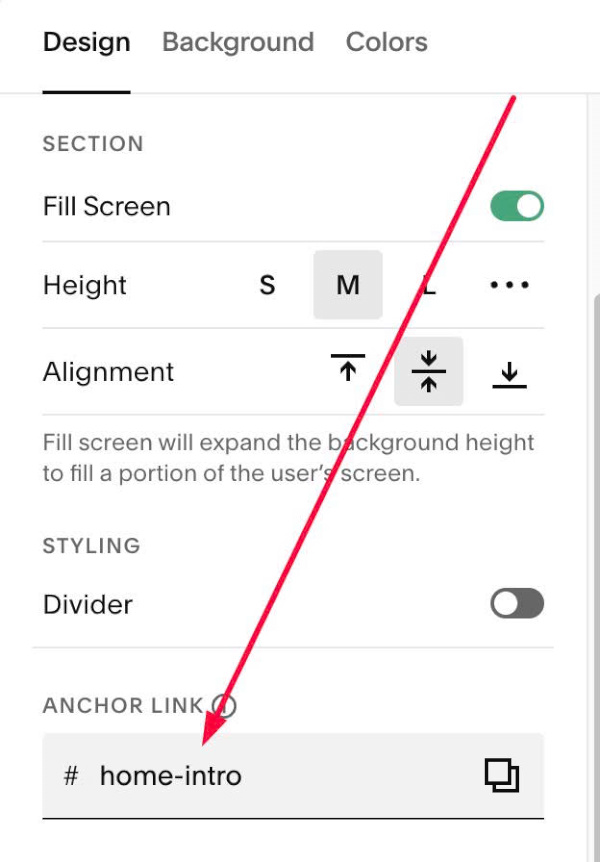
#1.2. Hover on top right of section > Click EDIT SECTION > at Design > Anchor Link > enter word: home-intro
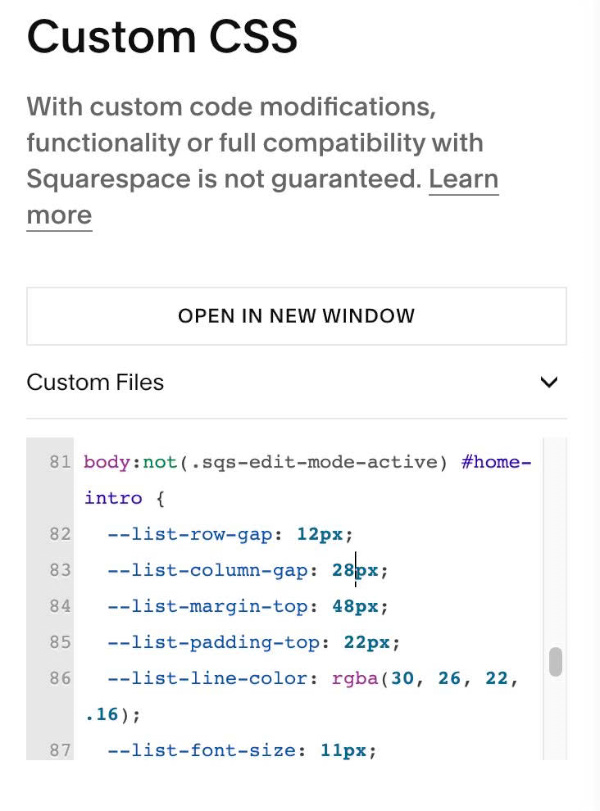
#1.3. Next, use code to Custom CSS
body:not(.sqs-edit-mode-active) #home-intro {
  --list-row-gap: 12px;
  --list-column-gap: 28px;
  --list-margin-top: 48px;
  --list-padding-top: 22px;
  --list-line-color: rgba(30, 26, 22, .16);
  --list-font-size: 11px;
  --list-font: 400 var(--list-font-size)/1.6 var(--body-font-font-family);
  --list-letter-spacing: .12em;
  --list-text-color: #5F564D;
  --list-bullet-color: #BC3E2B;
  --list-bullet-gap: 8px;
  .sqs-html-content ul[data-rte-list] {
    display: flex;
    flex-wrap: wrap;
    gap: var(--list-row-gap) var(--list-column-gap);
    margin: var(--list-margin-top) 0 0;
    padding: var(--list-padding-top) 0 0;
    border-top: 1px solid var(--list-line-color);
    > li {
      margin: 0;
      > p {
        margin: 0;
        color: var(--list-text-color);
        font: var(--list-font);
        letter-spacing: var(--list-letter-spacing);
        &::before {
          content: "●";
          width: auto;
          min-width: 0;
          margin: 0 var(--list-bullet-gap) 0 0;
          padding: 0;
          color: var(--list-bullet-color);
        }
      }
    }
  }
}
#1.4. Customize
To change gap between rows/columns, edit this
--list-row-gap: 12px;
 --list-column-gap: 28px;
To change line color, space between line – text, space above line, edit this
--list-margin-top: 48px;
--list-padding-top: 22px;
--list-line-color: rgba(30, 26, 22, .16);
To change text style, edit this
--list-font-size: 11px;
--list-font: 400 var(--list-font-size)/1.6 var(--body-font-font-family);
--list-letter-spacing: .12em;
--list-text-color: #5F564D;
To change bullet color/gap between bullet – text, edit this
--list-bullet-color: #BC3E2B;
  --list-bullet-gap: 8px;