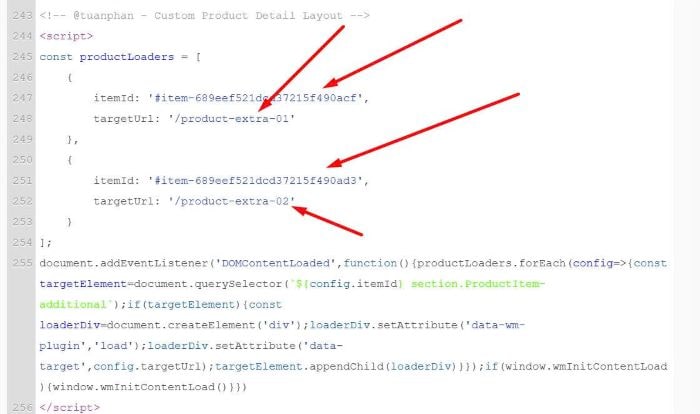
To add Custom Page Section to Product Detail, under Additional Info, so you can freely design the layout without being limited to the Product Page.
#1. First you need to install this plugin
(follow plugin & add code to Header/Footer only)
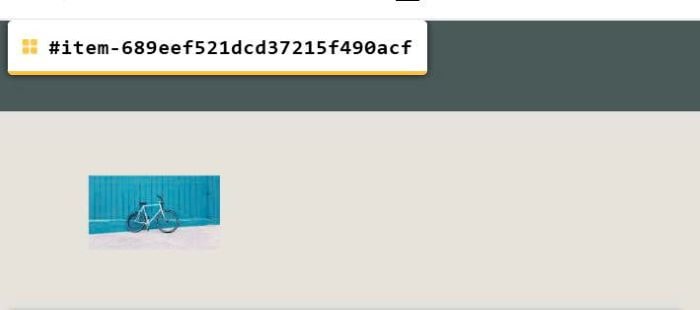
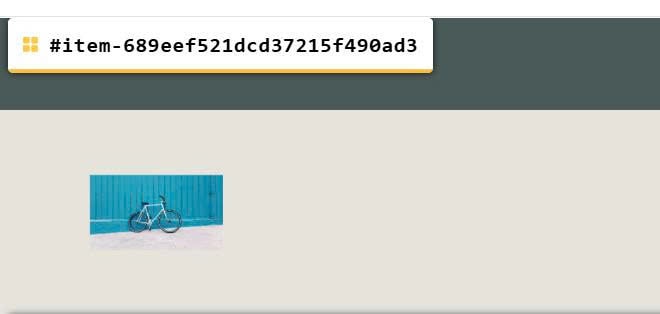
#2. Next, find ID of Product Detail Page
In my example, we will have:
#item-689eef521dcd37215f490acf
#item-689eef521dcd37215f490ad3
#3. Next, create 2 Pages and design your desired layout (in next step, we will use code to append these page into Product Detail)
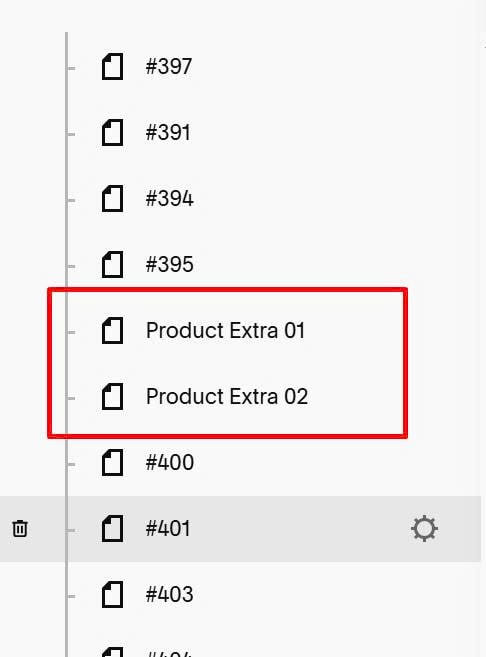
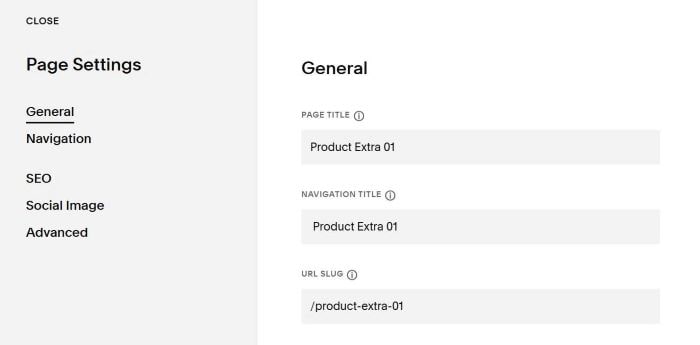
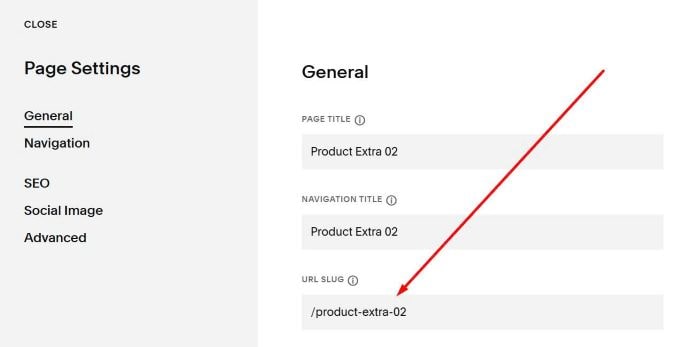
#3.1. Next, find URL of both pages. In my example, we will have:
/product-extra-01
/product-extra-02
#4. Next, use this code to Code Injection > Footer (under Plugin code, red lines is Plugin code)
<!-- @tuanphan - Custom Product Detail Layout -->
<script>
const productLoaders = [
    {
        itemId: '#item-689eef521dcd37215f490acf',
        targetUrl: '/product-extra-01'
    },
    {
        itemId: '#item-689eef521dcd37215f490ad3',
        targetUrl: '/product-extra-02'
    }
];
document.addEventListener('DOMContentLoaded',function(){productLoaders.forEach(config=>{const targetElement=document.querySelector(`${config.itemId} section.ProductItem-additional`);if(targetElement){const loaderDiv=document.createElement('div');loaderDiv.setAttribute('data-wm-plugin','load');loaderDiv.setAttribute('data-target',config.targetUrl);targetElement.appendChild(loaderDiv)}});if(window.wmInitContentLoad){window.wmInitContentLoad()}})
</script>
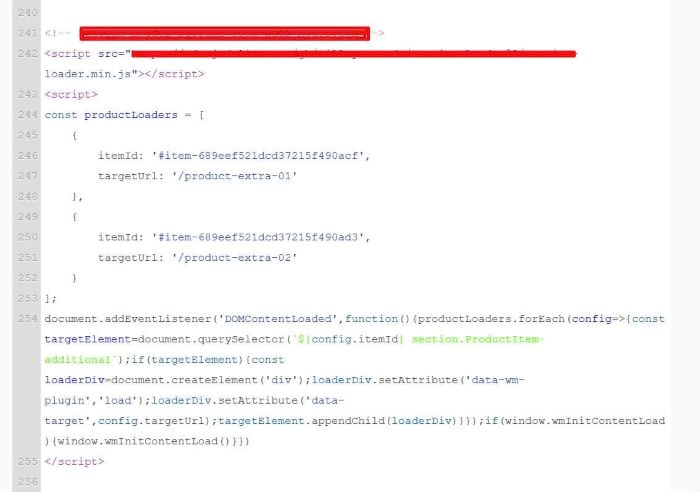
#5. Update Product Detail Page ID + Custom Page URLs here.