List Section has no way to add social icons for each team member. Add the X or Facebook link in the item description, and this code turns it into an icon, while every second card becomes a full-image portrait card with a dark overlay.
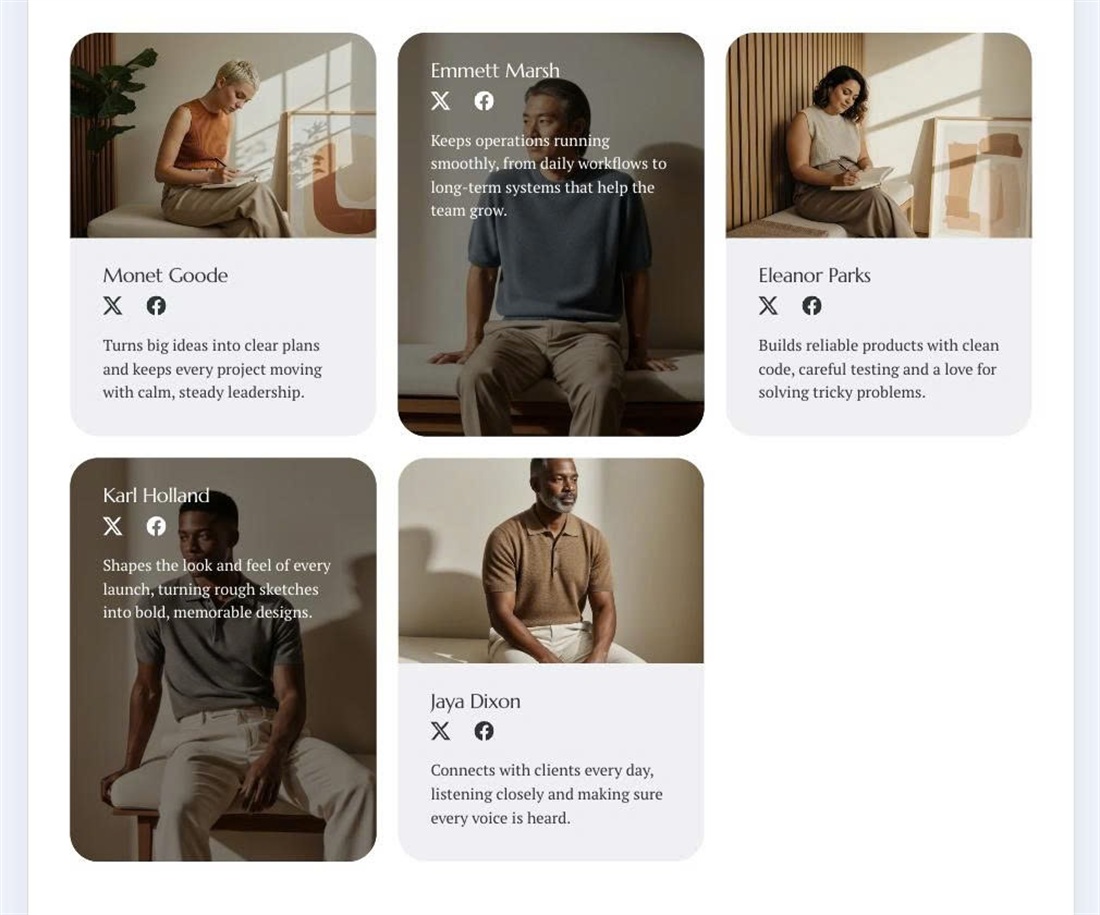
#1. Install Code
#1.1. First, add List Simple
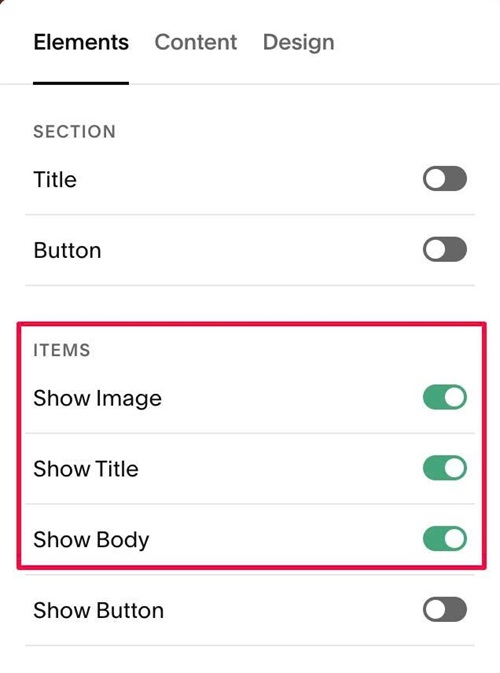
#1.2. Enable these options
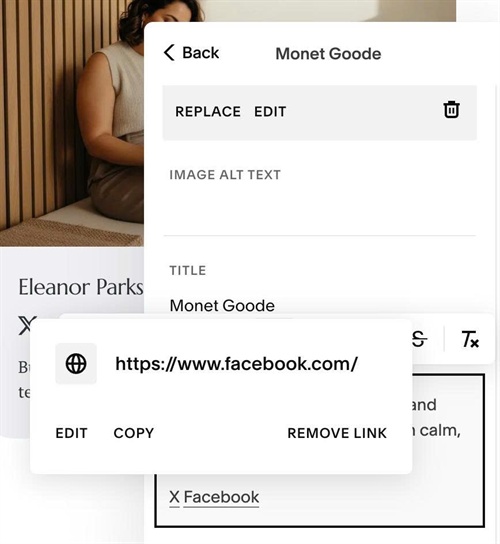
#1.3. Edit each item > Enter text like this
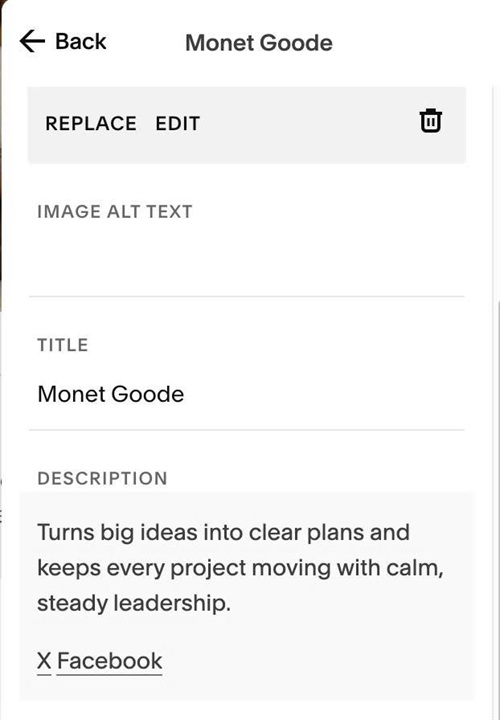
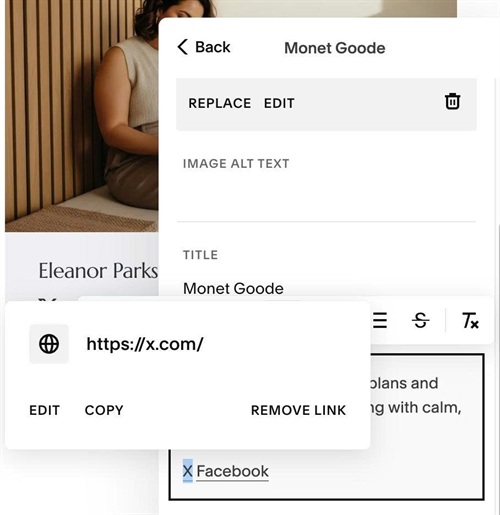
Note: Enter X, Facebook URL
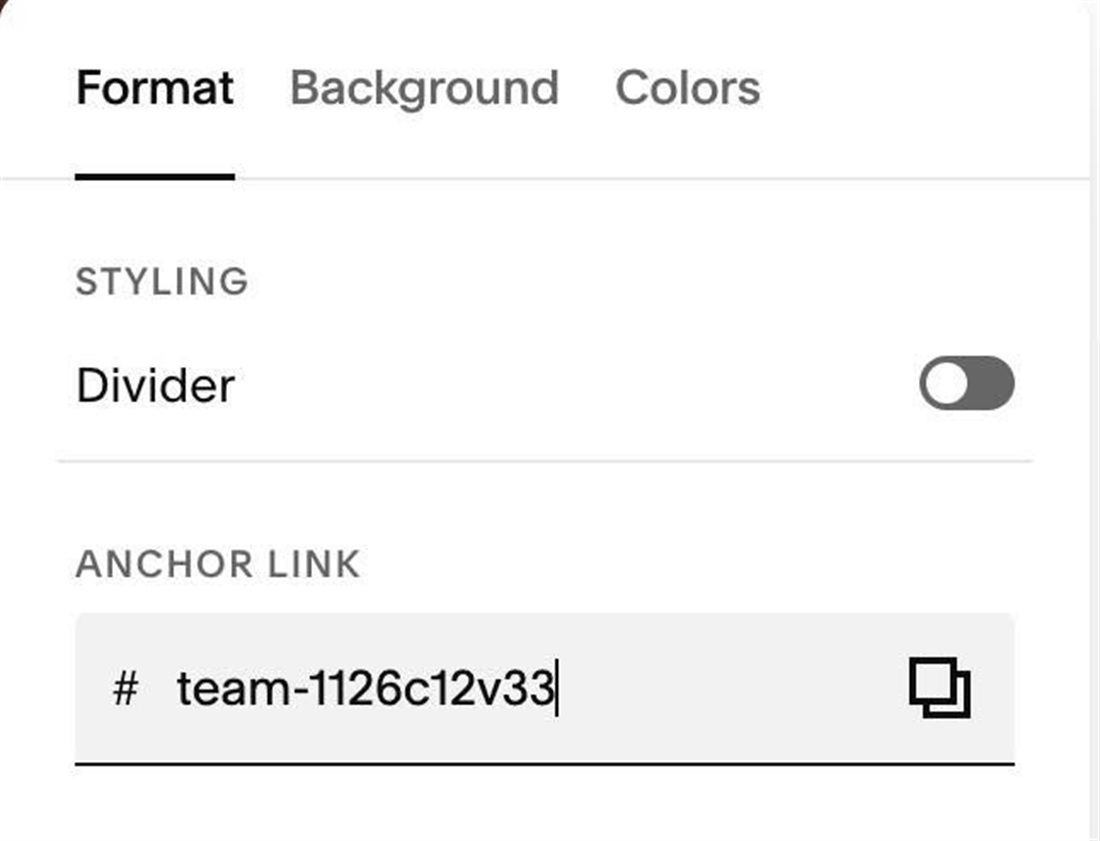
#1.4. Hover on top right of section > Click EDIT SECTION > at Format > Anchor Link > enter word: team-1126c12v33
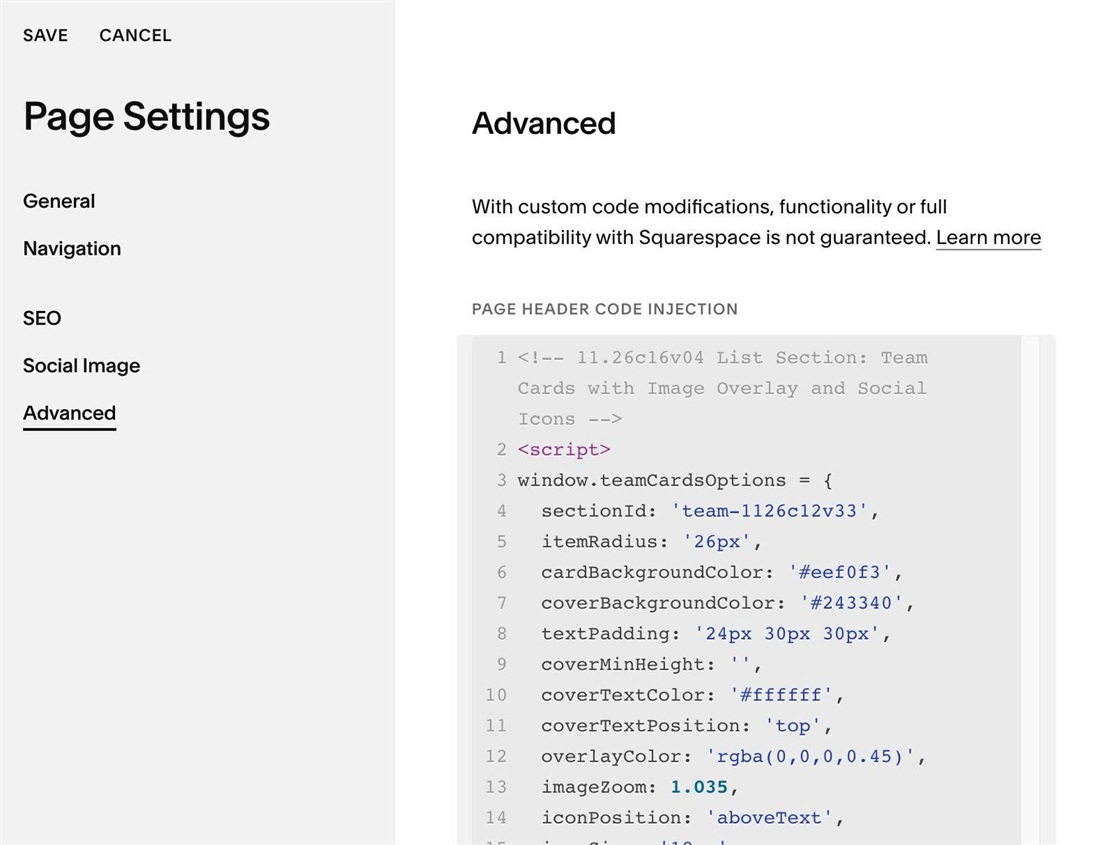
#1.5. Use code to Page Header Injection
<!-- 11.26c16v04 List Section: Team Cards with Image Overlay and Social Icons -->
<script>
window.teamCardsOptions = {
  sectionId: 'team-1126c12v33',
  itemRadius: '26px',
  cardBackgroundColor: '#eef0f3',
  coverBackgroundColor: '#243340',
  textPadding: '24px 30px 30px',
  coverMinHeight: '',
  coverTextColor: '#ffffff',
  coverTextPosition: 'top',
  overlayColor: 'rgba(0,0,0,0.45)',
  imageZoom: 1.035,
  iconPosition: 'aboveText',
  iconSize: '18px',
  iconGap: '22px',
  iconSpaceAbove: '20px',
  iconSpaceBelow: '20px'
};
</script>
<script>
(function(){
var o=Object.assign({sectionId:'team-1126c12v33',itemRadius:'26px',cardBackgroundColor:'#eef0f3',coverBackgroundColor:'#243340',textPadding:'24px 30px 30px',coverMinHeight:'',coverTextColor:'#ffffff',coverTextPosition:'top',overlayColor:'rgba(0,0,0,0.45)',imageZoom:1.035,iconPosition:'aboveText',iconSize:'18px',iconGap:'22px',iconSpaceAbove:'14px',iconSpaceBelow:'14px'},window.teamCardsOptions||{});
function d(p,v){return v!==''&&v!=null?p+':'+v+';':''}
var s='section[id*="'+o.sectionId+'"]',i=s+' .user-items-list-simple .list-item',c=i+':nth-child(even)',sid='team-cards-style-'+o.sectionId;
var icons={x:'<svg viewBox="0 0 16 16" aria-hidden="true"><path d="M12.6.75h2.454l-5.36 6.142L16 15.25h-4.937l-3.867-5.07-4.425 5.07H.316l5.733-6.57L0 .75h5.063l3.495 4.633L12.601.75Zm-.86 13.028h1.36L4.323 2.145H2.865z"/></svg>',facebook:'<svg viewBox="0 0 16 16" aria-hidden="true"><path d="M16 8.049c0-4.446-3.582-8.05-8-8.05C3.58 0-.002 3.603-.002 8.05c0 4.017 2.926 7.347 6.75 7.951v-5.625h-2.03V8.05H6.75V6.275c0-2.017 1.195-3.131 3.022-3.131.876 0 1.791.157 1.791.157v1.98h-1.009c-.993 0-1.303.621-1.303 1.258v1.51h2.218l-.354 2.326H9.25V16c3.824-.604 6.75-3.934 6.75-7.951"/></svg>'};
function style(){
if(document.getElementById(sid))return;
var pos={top:'flex-start',center:'center',bottom:'flex-end'}[o.coverTextPosition]||'';
var css=i+'{position:relative;isolation:isolate;overflow:hidden;'+d('border-radius',o.itemRadius)+d('background-color',o.cardBackgroundColor)+'}'+
i+' .list-item-media{margin:0!important}'+
(o.imageZoom!==''?i+' .list-image{transition:transform .4s ease}'+i+':hover .list-image{transform:scale('+o.imageZoom+')}':'')+
i+' .list-item-content{'+d('padding',o.textPadding)+'}'+
c+'{'+d('background-color',o.coverBackgroundColor)+d('min-height',o.coverMinHeight)+d('justify-content',pos)+'}'+
c+' .list-item-media{position:absolute!important;inset:0!important;z-index:-2;width:100%!important;height:100%!important}'+
c+' .list-item-media-inner,'+c+' .list-image{position:absolute!important;inset:0!important;width:100%!important;height:100%!important;padding:0!important;object-fit:cover}'+
c+':before{content:"";position:absolute;inset:0;z-index:-1;pointer-events:none;'+d('background',o.overlayColor)+'}'+
(o.coverTextColor!==''?c+' .list-item-content,'+c+' .list-item-content *{color:'+o.coverTextColor+'!important}':'')+
s+' .tc-social{display:flex;flex-wrap:wrap;align-items:center;margin:0!important;'+d('gap',o.iconGap)+d('margin-top',o.iconSpaceAbove)+d('margin-bottom',o.iconSpaceBelow)+'}'+
s+' .tc-social:last-child{margin-bottom:0!important}'+
s+' .tc-social a{display:inline-flex;line-height:1;text-decoration:none;transition:opacity .2s ease,transform .2s ease}'+
s+' .tc-social a:hover{opacity:.7;transform:translateY(-2px)}'+
s+' .tc-social svg{display:block;fill:currentColor;'+d('width',o.iconSize)+d('height',o.iconSize)+'}'+
'@media(prefers-reduced-motion:reduce){'+i+' .list-image,'+s+' .tc-social a{transition:none}}';
var el=document.createElement('style');el.id=sid;el.textContent=css;document.head.appendChild(el);
}
function type(h){h=h||'';if(/\/\/([^\/]*\.)?(x|twitter)\.com/.test(h))return 'x';if(/\/\/([^\/]*\.)?(facebook|fb)\.com/.test(h))return 'facebook';return ''}
function run(){
document.querySelectorAll(i+' .list-item-content__description').forEach(function(desc){
if(desc.querySelector('.tc-social'))return;
var links=[].filter.call(desc.querySelectorAll('a'),function(a){return type(a.getAttribute('href'))});
if(!links.length)return;
var box=document.createElement('p');box.className='tc-social';
links.forEach(function(a){
var t=type(a.getAttribute('href')),p=a.parentElement;
a.setAttribute('aria-label',t==='x'?'X':'Facebook');a.innerHTML=icons[t];box.appendChild(a);
if(p&&p!==desc&&!p.textContent.trim()&&!p.querySelector('a,img'))p.remove();
});
if(o.iconPosition==='belowText')desc.appendChild(box);else desc.insertBefore(box,desc.firstChild);
});
}
function init(){style();run();new MutationObserver(run).observe(document.body,{childList:true,subtree:true})}
if(document.readyState!=='loading')init();else document.addEventListener('DOMContentLoaded',init);
})();
</script>
#1.6. Customize
To change background behind text, edit this
cardBackgroundColor: '#eef0f3',
To change text color (text over image), edit this
coverTextColor: '#ffffff',
To change icon style, edit this
iconSize: '18px',
  iconGap: '22px',
  iconSpaceAbove: '20px',
  iconSpaceBelow: '20px'