Want a FAQ section with the heading on the left and expandable questions on the right, all managed from one List Section? Write each question as the item title and the answer as the description, and this code turns them into an accordion.
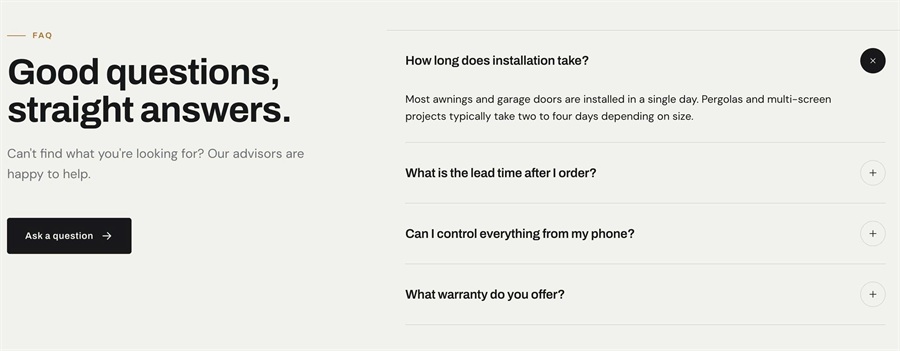
#1. Install Code
#1.1. First, add a List Simple
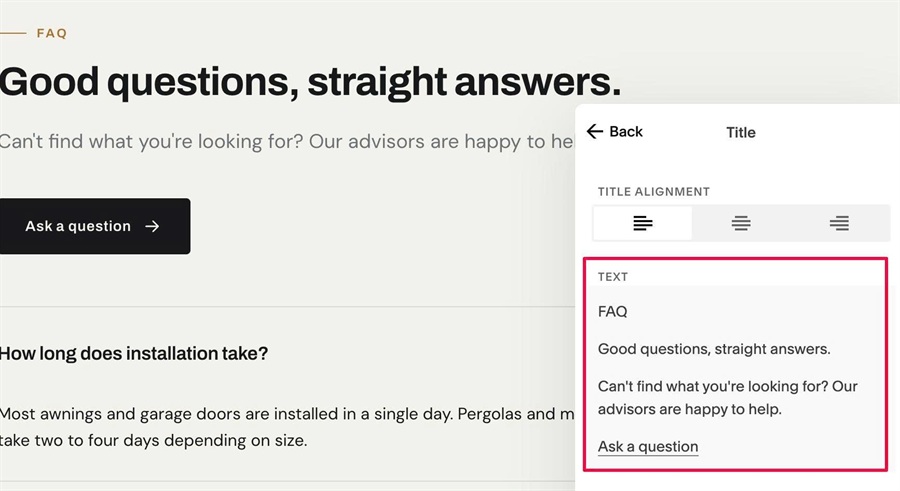
#1.2. Edit Section Title > Enter 4 Paragraphs with Link like this
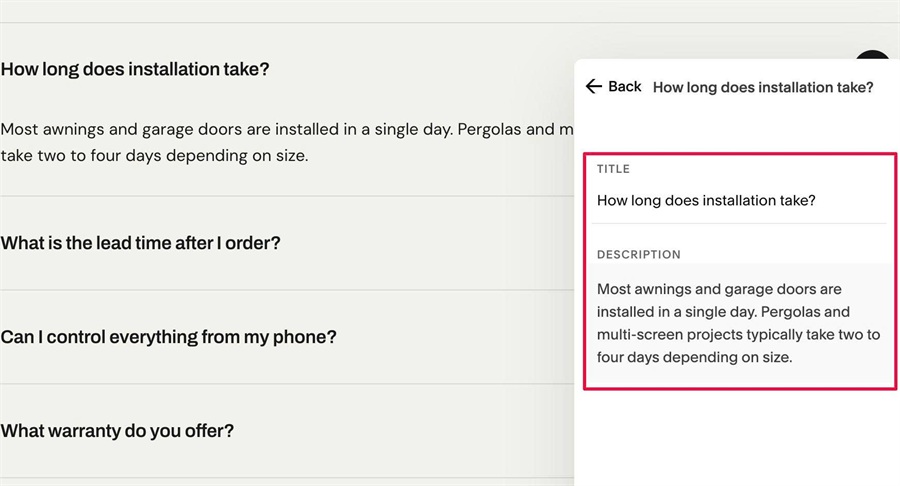
#1.3. Edit each item > enter title, description
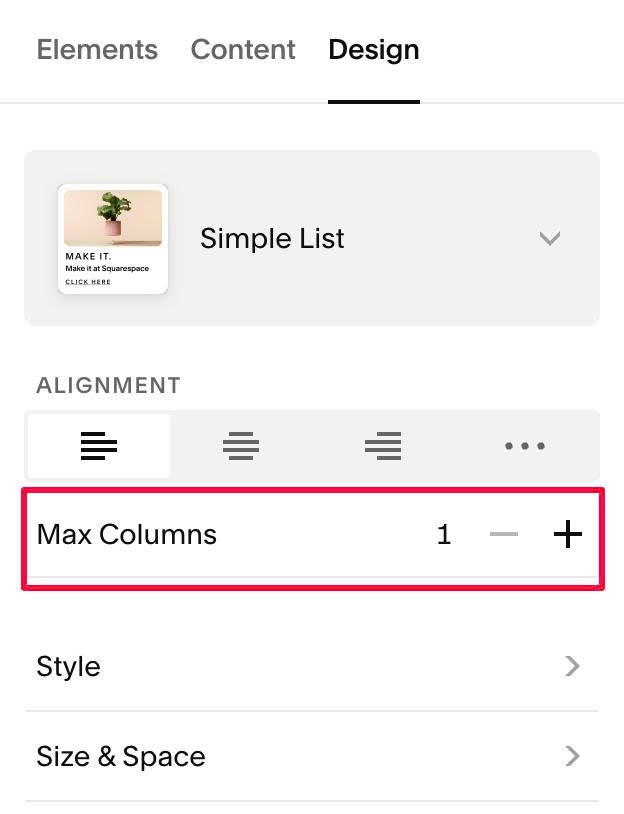
#1.4. Set 1 Column
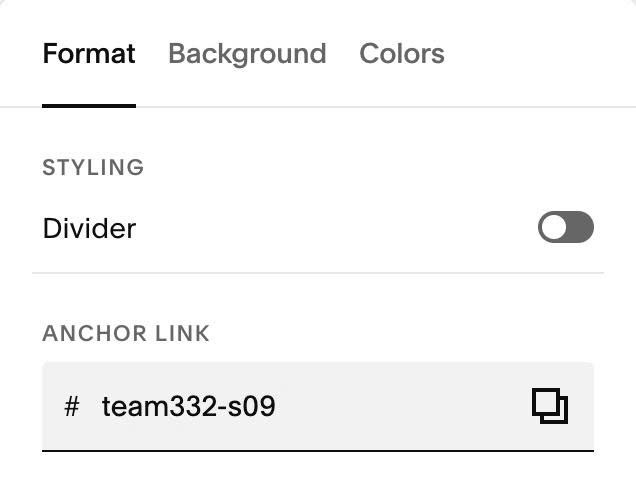
#1.5. Hover on top right of section > Click EDIT SECTION > at Format > Anchor Link > Enter word: team332-s09
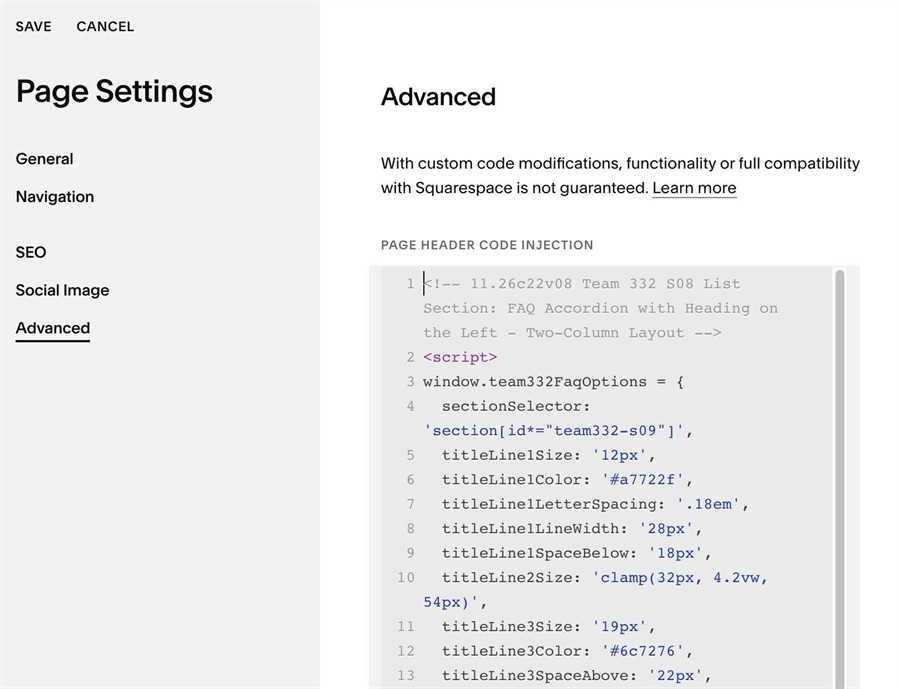
#1.6. Use this code to Page Header Injection
<!-- 11.26c22v08 Team 332 S08 List Section: FAQ Accordion with Heading on the Left - Two-Column Layout -->
<script>
window.team332FaqOptions = {
  sectionSelector: 'section[id*="team332-s09"]',
  titleLine1Size: '12px',
  titleLine1Color: '#a7722f',
  titleLine1LetterSpacing: '.18em',
  titleLine1LineWidth: '28px',
  titleLine1SpaceBelow: '18px',
  titleLine2Size: 'clamp(32px, 4.2vw, 54px)',
  titleLine3Size: '19px',
  titleLine3Color: '#6c7276',
  titleLine3SpaceAbove: '22px',
  sectionButtonSpaceAbove: '32px',
  sectionButtonFontSize: '14px',
  sectionButtonPadding: '16px 26px',
  sectionButtonRadius: '4px',
  sectionButtonBackgroundColor: '#16191b',
  sectionButtonTextColor: '#f4f1eb',
  sectionButtonHoverBackgroundColor: '#c58d45',
  sectionButtonHoverTextColor: '#16191b',
  sectionButtonArrow: true,
  titleColumnWidth: '1fr',
  listColumnWidth: '1.5fr',
  columnGap: '80px',
  stackBelowWidth: '1100px',
  stackedGap: '50px',
  lineColor: 'rgba(22,25,27,.12)',
  questionPadding: '26px',
  questionWeight: '600',
  answerSpaceBelow: '26px',
  answerSpaceRight: '60px',
  iconBoxSize: '36px',
  iconSize: '16px',
  iconLineWidth: '1.5',
  iconBorderColor: 'rgba(22,25,27,.12)',
  iconOpenBackgroundColor: '#16191b',
  iconOpenColor: '#f4f1eb',
  firstItemOpen: true,
  openOneAtATime: true
};
</script>
<script src="https://code.beaverhero.com/listsimple/1126c22v08team332s09.js"></script>
#1.7. Customize
To change Section Tilte style (3 texts + 1 button), edit this
titleLine1Size: '12px',
titleLine1Color: '#a7722f',
titleLine1LetterSpacing: '.18em',
titleLine1LineWidth: '28px',
titleLine1SpaceBelow: '18px',
titleLine2Size: 'clamp(32px, 4.2vw, 54px)',
titleLine3Size: '19px',
titleLine3Color: '#6c7276',
titleLine3SpaceAbove: '22px',
sectionButtonSpaceAbove: '32px',
sectionButtonFontSize: '14px',
sectionButtonPadding: '16px 26px',
sectionButtonRadius: '4px',
sectionButtonBackgroundColor: '#16191b',
sectionButtonTextColor: '#f4f1eb',
sectionButtonHoverBackgroundColor: '#c58d45',
sectionButtonHoverTextColor: '#16191b',
sectionButtonArrow: true,
To change Text, Accordion Column Width + Gap between both, edit this
titleColumnWidth: '1fr',
  listColumnWidth: '1.5fr',
  columnGap: '80px',
To change line color between accordion items, edit this
lineColor: 'rgba(22,25,27,.12)',
To change accordion icon style, edit this
iconBoxSize: '36px',
  iconSize: '16px',
  iconLineWidth: '1.5',
  iconBorderColor: 'rgba(22,25,27,.12)',
  iconOpenBackgroundColor: '#16191b',
  iconOpenColor: '#f4f1eb',