Squarespace can scale text to fill a block, but there’s no option for outline (hollow) letters. This CSS removes the fill and adds a thin stroke, so your brand name stretches across the footer as a subtle outlined background word.

#1. Install Code
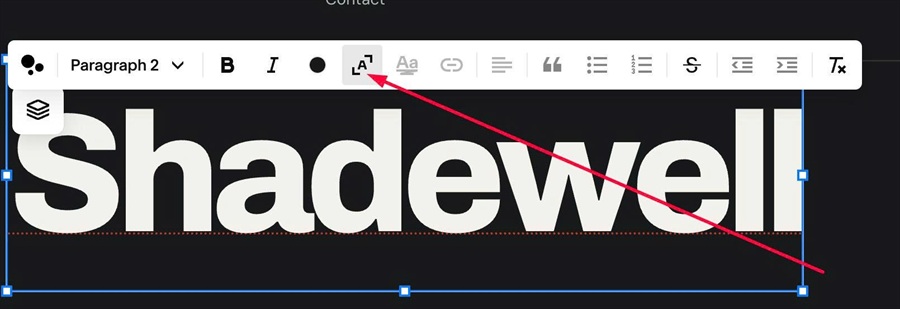
#1.1. First, enable this option
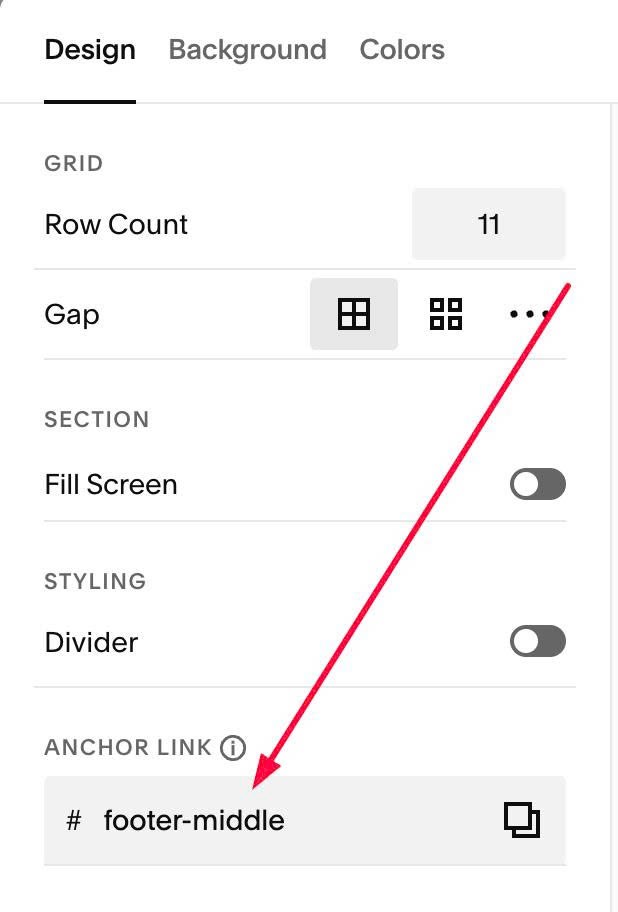
#1.2. Next, hover on top right of section > Click EDIT SECTION > at Design > Anchor Link > enter word: footer-middle
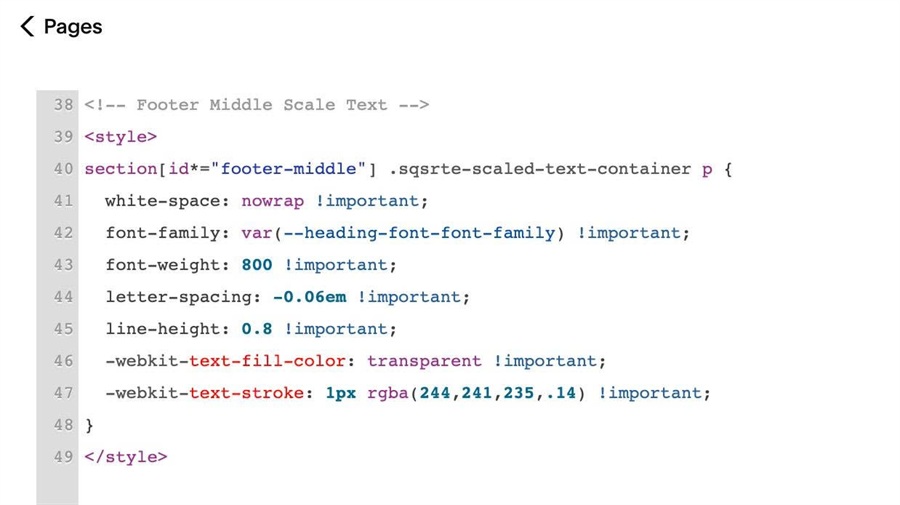
#1.3. Next, use code to Code Injection > Footer
<!-- Footer Middle Scale Text -->
<style>
section[id*="footer-middle"] .sqsrte-scaled-text-container p {
  white-space: nowrap !important;
  font-family: var(--heading-font-font-family) !important;
  font-weight: 800 !important;
  letter-spacing: -0.06em !important;
  line-height: 0.8 !important;
  -webkit-text-fill-color: transparent !important;
  -webkit-text-stroke: 1px rgba(244,241,235,.14) !important;
}
</style>
#1.4. Customize
You can remove this line if you want, this line will turn Paragraph 2 to Heading Font Family Name
font-family: var(--heading-font-font-family) !important;
To change outline around text, edit this
-webkit-text-stroke: 1px rgba(244,241,235,.14) !important;