- Support: [email protected]
- Free install (1 site)
To add a Slideshow with 2 images, like this.

#1. Install code
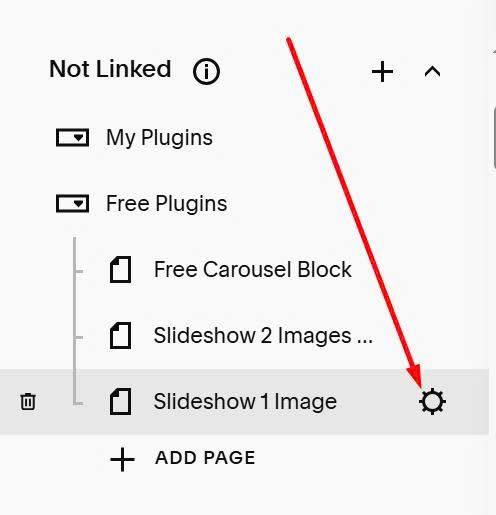
First, click on Gear icon on page where you want to place Slideshow
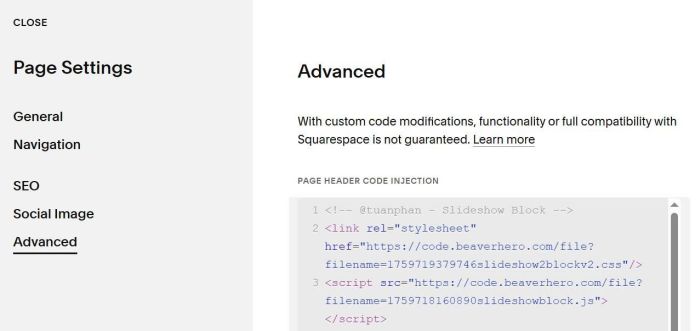
Click Advanced > Paste code to right box
<!-- @tuanphan - Slideshow Block -->
<link rel="stylesheet" href="https://code.beaverhero.com/file?filename=1759719379746slideshow2blockv2.css"/>
<script src="https://code.beaverhero.com/file?filename=1759718160890slideshowblock.js"></script>
#2. Usage
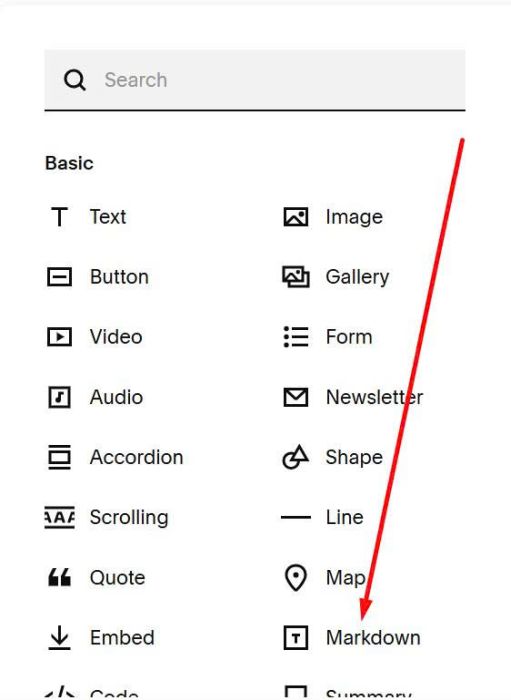
Edit page where you want to place Slideshow > Add a Markdown Block
Paste all Image URLs. You can follow this guide to get URL.
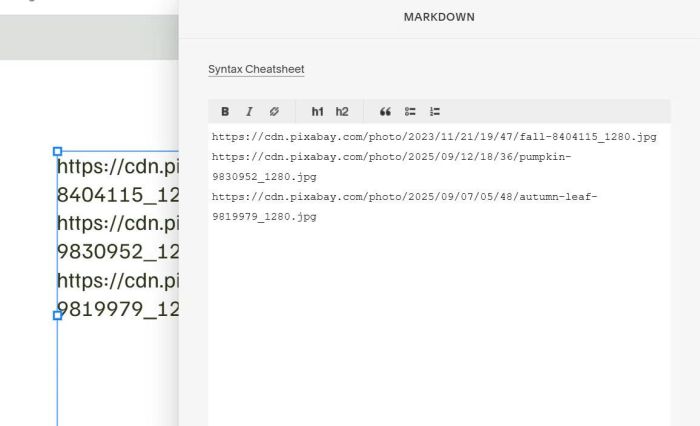
Save and reload the page.
#3. Customize
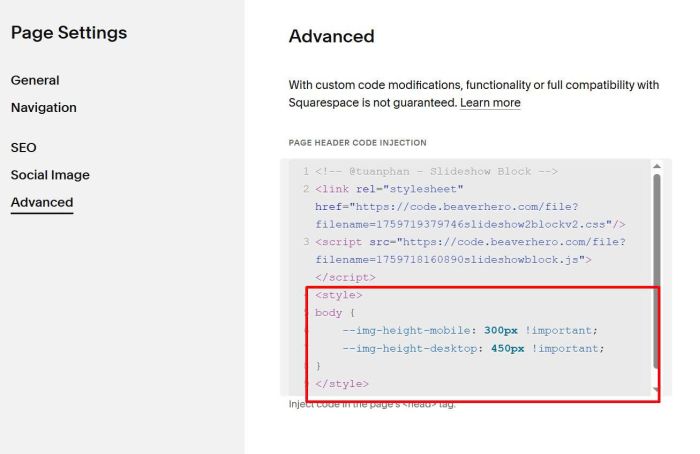
To adjust height of Images on Desktop – Mobile, you can add this code under Plugin code
<style>
body {
    --img-height-mobile: 300px !important;
    --img-height-desktop: 450px !important;
}
</style>