Description
- change logo color on scroll over specific sections
- view demo – password: abc
- buy a coffee
#1. Install Code
if you use Personal/Basic Plan and your plan doesn’t support Injection, you can see #2.2.
#1.1. First you can upload new logo and get its url.
#1.2. Next, use this code to Code Injection > Footer
<!-- 04.26c22v1 Logo Color on Scroll -->
<script>
window.LOGO_SWAP_CONFIG = {
  themes: ['white', 'white-bold', 'light', 'light-bold', 'bright-inverse'],
  logoAlt: 'https://media.invisioncic.com/p289038/monthly_2025_07/logo_92606a.svg.bb76a36608baa1e60bc207ad5eea6a0b_703a50.svg'
};
</script>
<script src="https://code.beaverhero.com/header/0426c22v1logocolorscroll.js"></script>
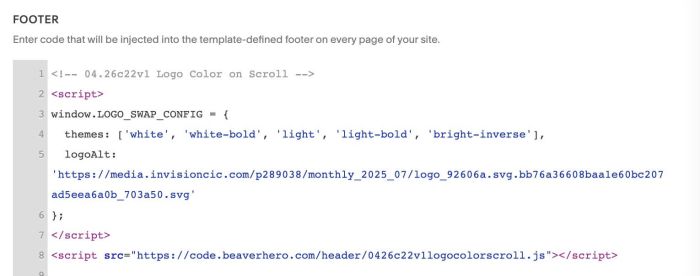
#1.3. Remember to update new logo url
logoAlt: 'https://media.invisioncic.com/p289038/monthly_2025_07/logo_92606a.svg.bb76a36608baa1e60bc207ad5eea6a0b_703a50.svg'
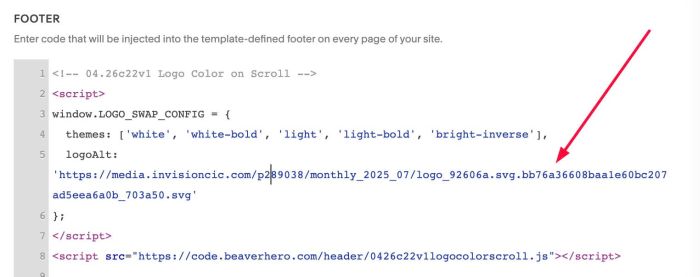
#1.4. and Update Theme Color Name
themes: ['white', 'white-bold', 'light', 'light-bold', 'bright-inverse'],
Logo will change to new logo when users scroll over these section theme colors
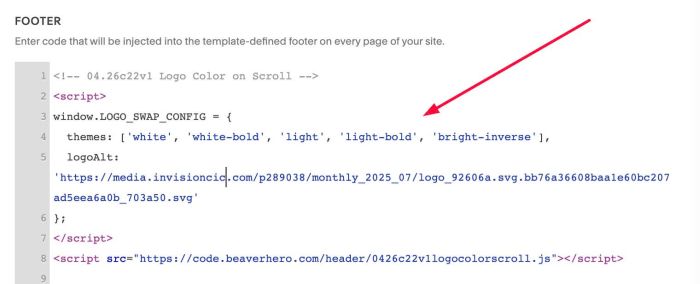
#2. Customize
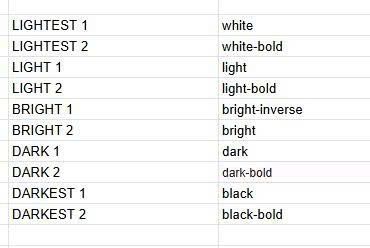
#2.1. This is a list of code names corresponding to the Theme Color.
-
LIGHTEST 1 = white
-
LIGHTEST 2 = white-bold
-
LIGHT 1 = light
-
LIGHT2 = light-bold
-
BRIGHT 1 = bright-inverse
-
BRIGHT 2 = bright
-
DARK 1 = dark
-
DARK 2 = dark-bold
-
DARKEST 1 = black
-
DARKEST 2 = black-bold
#2.2. If you use Personal/Basic Plan and your plan doesn’t support Injection, you can edit SITE FOOTER.
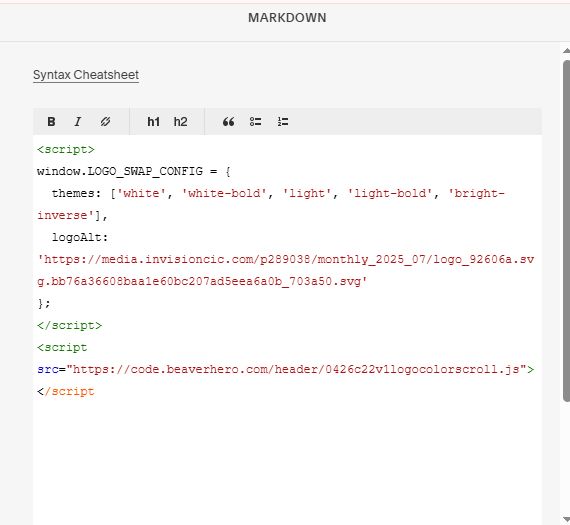
Add a Markdown Block

Paste this code into Markdown Block
<script>
window.LOGO_SWAP_CONFIG = {
  themes: ['white', 'white-bold', 'light', 'light-bold', 'bright-inverse'],
  logoAlt: 'https://media.invisioncic.com/p289038/monthly_2025_07/logo_92606a.svg.bb76a36608baa1e60bc207ad5eea6a0b_703a50.svg'
};
</script>
<script src="https://code.beaverhero.com/header/0426c22v1logocolorscroll.js"></script