Description
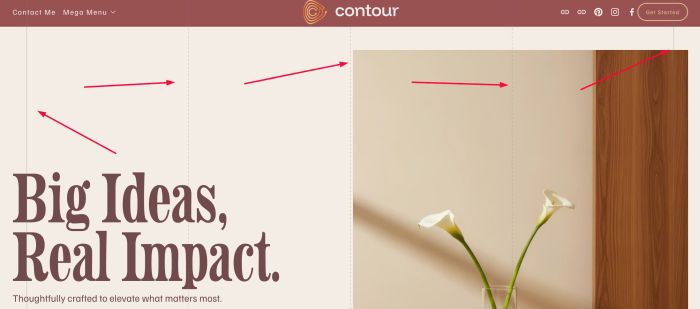
- add vertical lines running from top to bottom
- view demo – password: abc
- buy me a coffee
#1. Install Code
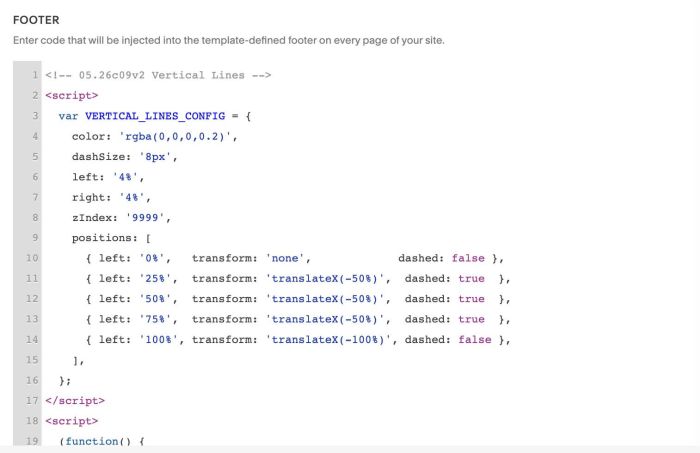
#1.1. First, use this code to Code Injection > Footer
- If you use Personal/Basic Plan and your plan doesn’t support Injection, see #2.2.
- If you want to apply code on One Page only, see #2.3.
<!-- 05.26c09v2 Vertical Lines -->
<script>
  var VERTICAL_LINES_CONFIG = {
    color: 'rgba(0,0,0,0.2)',
    dashSize: '8px',
    left: '4%',
    right: '4%',
    zIndex: '9999',
    positions: [
      { left: '0%',   transform: 'none',             dashed: false },
      { left: '25%',  transform: 'translateX(-50%)',  dashed: true  },
      { left: '50%',  transform: 'translateX(-50%)',  dashed: true  },
      { left: '75%',  transform: 'translateX(-50%)',  dashed: true  },
      { left: '100%', transform: 'translateX(-100%)', dashed: false },
    ],
  };
</script>

<script>
  (function() {
    function init() {
      var cfg = VERTICAL_LINES_CONFIG;
      var container = document.createElement('div');

      Object.assign(container.style, {
        position: 'fixed',
        top: '0',
        left: cfg.left,
        right: cfg.right,
        height: '100%',
        pointerEvents: 'none',
        zIndex: cfg.zIndex,
        mixBlendMode: 'exclusion',
        filter: 'invert(1)',
      });

      cfg.positions.forEach(function(line) {
        var el = document.createElement('div');

        Object.assign(el.style, {
          position: 'absolute',
          top: '0',
          left: line.left,
          transform: line.transform,
          width: '1px',
          height: '100%',
          backgroundImage: line.dashed
            ? 'linear-gradient(to bottom, ' + cfg.color + ' 50%, transparent 0)'
            : 'linear-gradient(to bottom, ' + cfg.color + ' 100%, transparent 0)',
          backgroundSize: line.dashed ? '1px ' + cfg.dashSize : '1px 100%',
          backgroundRepeat: line.dashed ? 'repeat-y' : 'no-repeat',
        });

        container.appendChild(el);
      });

      document.body.appendChild(container);
    }

    if (document.readyState === 'loading') {
      document.addEventListener('DOMContentLoaded', init);
    } else {
      init();
    }
  })();
</script>
#2. Customize
#2.1. All style options in top of code
<script>
  var VERTICAL_LINES_CONFIG = {
    color: 'rgba(0,0,0,0.2)',
    dashSize: '8px',
    left: '4%',
    right: '4%',
    zIndex: '9999',
    positions: [
      { left: '0%',   transform: 'none',             dashed: false },
      { left: '25%',  transform: 'translateX(-50%)',  dashed: true  },
      { left: '50%',  transform: 'translateX(-50%)',  dashed: true  },
      { left: '75%',  transform: 'translateX(-50%)',  dashed: true  },
      { left: '100%', transform: 'translateX(-100%)', dashed: false },
    ],
  };
</script>
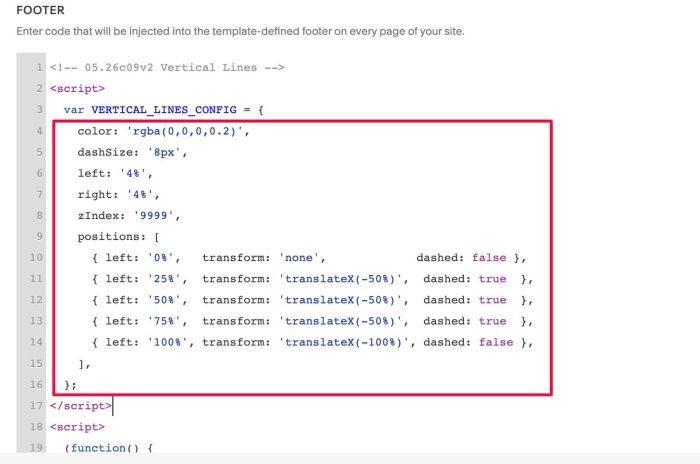
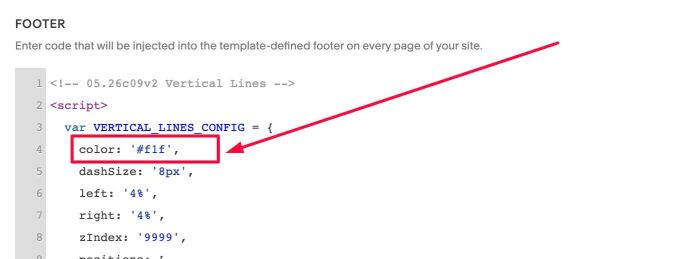
#2.1-2. To change color of lines, you can change this option.
color: 'rgba(0,0,0,0.2)',
you can use color name, like this
color: 'red';
or hex color, like this
color: '#f1f';
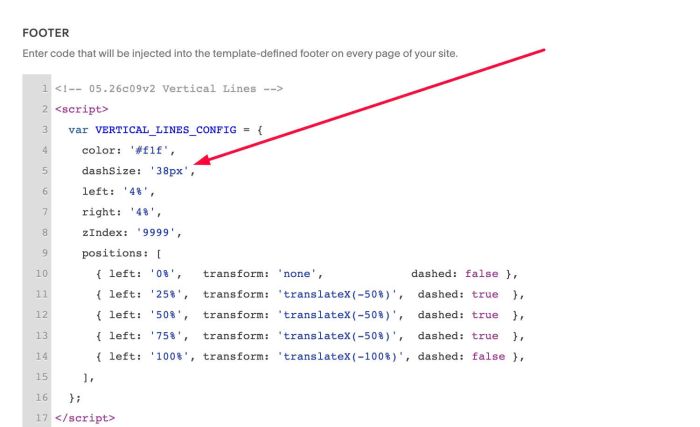
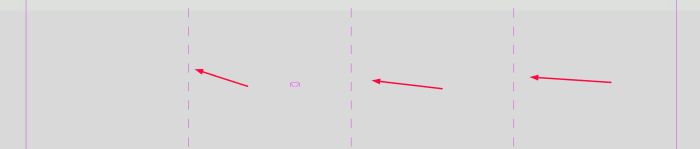
#2.1-3. You can change height of dashed line in Line 02, Line 03, Line 04, something like this
dashSize: '38px',
You will see a result like this.
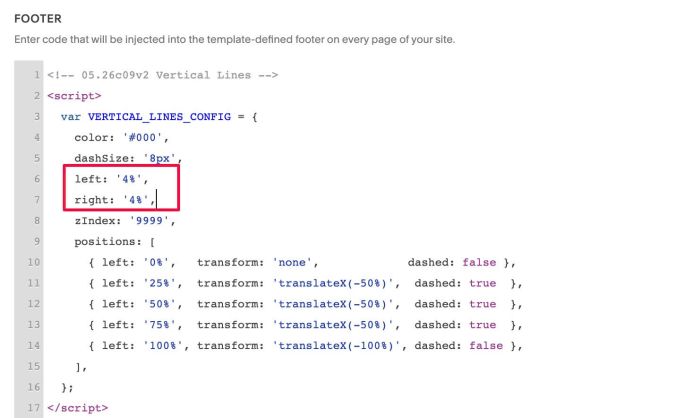
#2.1-4. To change space between Line 01 – Left of Screen, Line 05 – Right of Screen
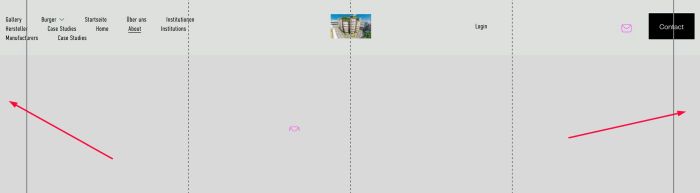
You can adjust these lines.
left: '4%',
    right: '4%',
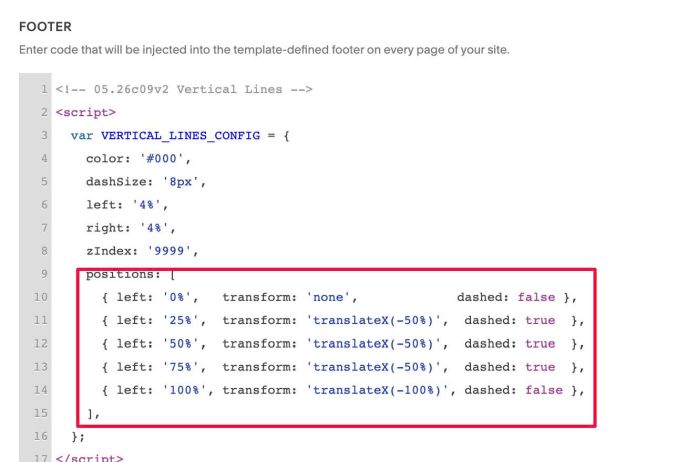
#2.1-5. To adjust position of 5 Lines, you can adjust these lines
positions: [
      { left: '0%',   transform: 'none',             dashed: false },
      { left: '25%',  transform: 'translateX(-50%)',  dashed: true  },
      { left: '50%',  transform: 'translateX(-50%)',  dashed: true  },
      { left: '75%',  transform: 'translateX(-50%)',  dashed: true  },
      { left: '100%', transform: 'translateX(-100%)', dashed: false },
    ],
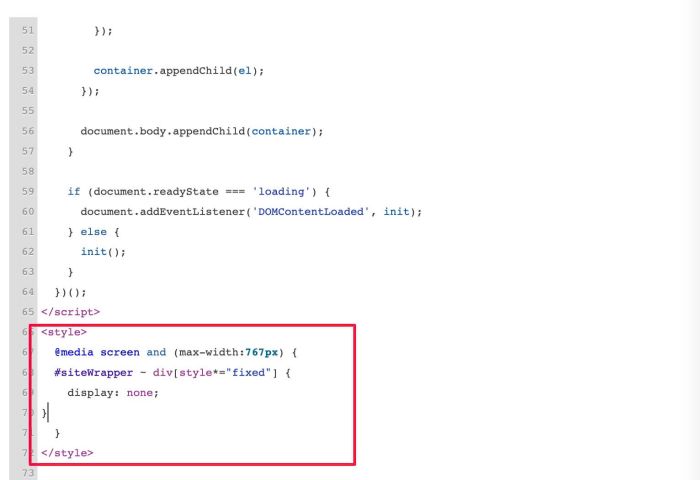
#2.1-6. To hide Lines on Mobile, you can add this code under main code #1.1.
<style>
  @media screen and (max-width:767px) {
  #siteWrapper ~ div[style*="fixed"] {
    display: none;
}
  }
</style>
#2.1-7. To hide Lines on One Page, you can use this code to Individual Page Header Injection
<style>
#siteWrapper ~ div[style*="fixed"] {
    display: none;
}
</style>
#2.2. If you use Personal/Basic Plan and your plan doesn’t support Injection, you can edit Site Footer
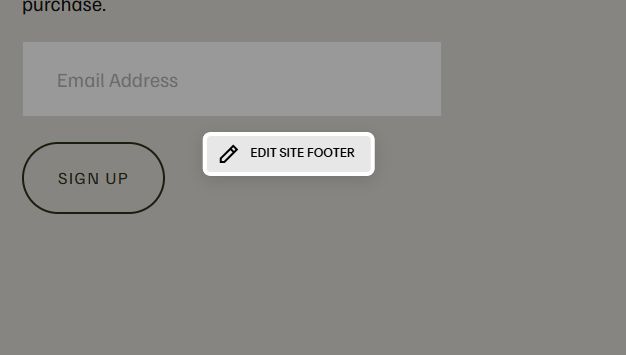
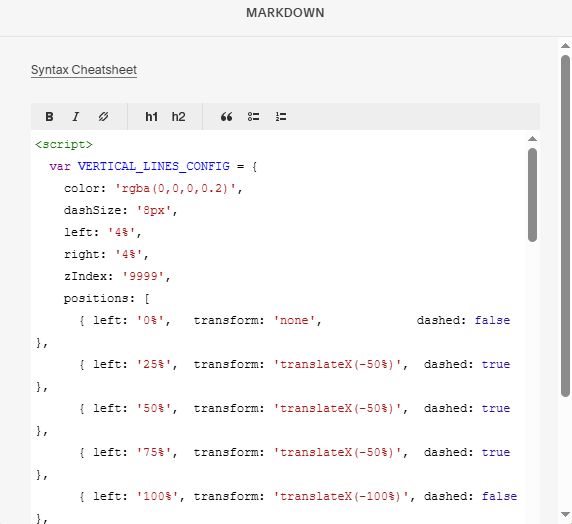
Add a Block > Choose Markdown

Paste this code into Markdown.
<script>
  var VERTICAL_LINES_CONFIG = {
    color: 'rgba(0,0,0,0.2)',
    dashSize: '8px',
    left: '4%',
    right: '4%',
    zIndex: '9999',
    positions: [
      { left: '0%',   transform: 'none',             dashed: false },
      { left: '25%',  transform: 'translateX(-50%)',  dashed: true  },
      { left: '50%',  transform: 'translateX(-50%)',  dashed: true  },
      { left: '75%',  transform: 'translateX(-50%)',  dashed: true  },
      { left: '100%', transform: 'translateX(-100%)', dashed: false },
    ],
  };
</script>

<script>
  (function() {
    function init() {
      var cfg = VERTICAL_LINES_CONFIG;
      var container = document.createElement('div');

      Object.assign(container.style, {
        position: 'fixed',
        top: '0',
        left: cfg.left,
        right: cfg.right,
        height: '100%',
        pointerEvents: 'none',
        zIndex: cfg.zIndex,
        mixBlendMode: 'exclusion',
        filter: 'invert(1)',
      });

      cfg.positions.forEach(function(line) {
        var el = document.createElement('div');

        Object.assign(el.style, {
          position: 'absolute',
          top: '0',
          left: line.left,
          transform: line.transform,
          width: '1px',
          height: '100%',
          backgroundImage: line.dashed
            ? 'linear-gradient(to bottom, ' + cfg.color + ' 50%, transparent 0)'
            : 'linear-gradient(to bottom, ' + cfg.color + ' 100%, transparent 0)',
          backgroundSize: line.dashed ? '1px ' + cfg.dashSize : '1px 100%',
          backgroundRepeat: line.dashed ? 'repeat-y' : 'no-repeat',
        });

        container.appendChild(el);
      });

      document.body.appendChild(container);
    }

    if (document.readyState === 'loading') {
      document.addEventListener('DOMContentLoaded', init);
    } else {
      init();
    }
  })();
</script>
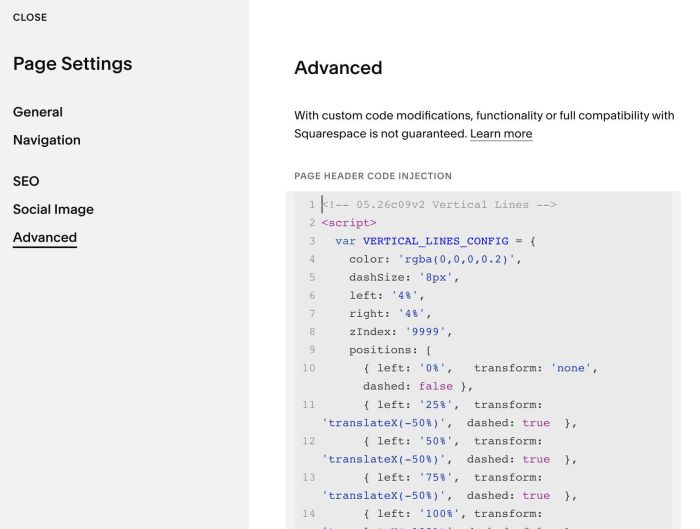
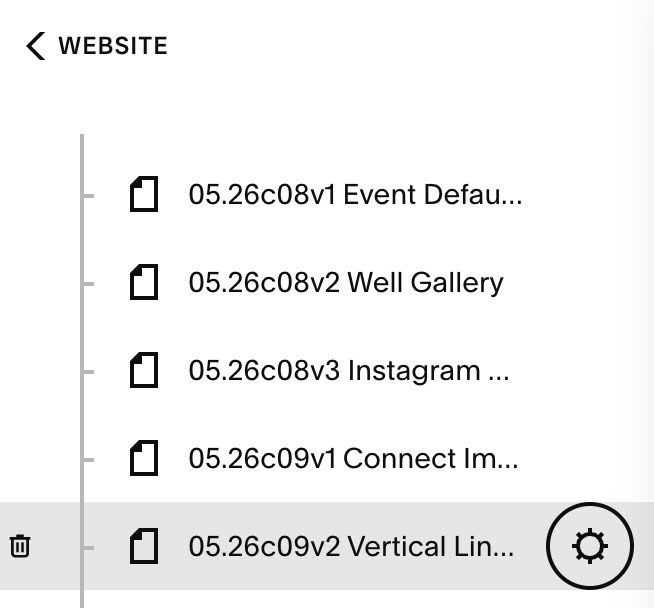
#2.3. If you want to apply code on One Page, you can hover on Page Name > Click Gear icon
Click Advanced > Paste this code
<!-- 05.26c09v2 Vertical Lines -->
<script>
  var VERTICAL_LINES_CONFIG = {
    color: 'rgba(0,0,0,0.2)',
    dashSize: '8px',
    left: '4%',
    right: '4%',
    zIndex: '9999',
    positions: [
      { left: '0%',   transform: 'none',             dashed: false },
      { left: '25%',  transform: 'translateX(-50%)',  dashed: true  },
      { left: '50%',  transform: 'translateX(-50%)',  dashed: true  },
      { left: '75%',  transform: 'translateX(-50%)',  dashed: true  },
      { left: '100%', transform: 'translateX(-100%)', dashed: false },
    ],
  };
</script>

<script>
  (function() {
    function init() {
      var cfg = VERTICAL_LINES_CONFIG;
      var container = document.createElement('div');

      Object.assign(container.style, {
        position: 'fixed',
        top: '0',
        left: cfg.left,
        right: cfg.right,
        height: '100%',
        pointerEvents: 'none',
        zIndex: cfg.zIndex,
        mixBlendMode: 'exclusion',
        filter: 'invert(1)',
      });

      cfg.positions.forEach(function(line) {
        var el = document.createElement('div');

        Object.assign(el.style, {
          position: 'absolute',
          top: '0',
          left: line.left,
          transform: line.transform,
          width: '1px',
          height: '100%',
          backgroundImage: line.dashed
            ? 'linear-gradient(to bottom, ' + cfg.color + ' 50%, transparent 0)'
            : 'linear-gradient(to bottom, ' + cfg.color + ' 100%, transparent 0)',
          backgroundSize: line.dashed ? '1px ' + cfg.dashSize : '1px 100%',
          backgroundRepeat: line.dashed ? 'repeat-y' : 'no-repeat',
        });

        container.appendChild(el);
      });

      document.body.appendChild(container);
    }

    if (document.readyState === 'loading') {
      document.addEventListener('DOMContentLoaded', init);
    } else {
      init();
    }
  })();
</script>