Description
- change image (Image Block) to another image on hover
- view demo – password: abc
- buy me a coffee
#1. Install Code
#1.1. First, enter hover image to ALT field
Something like this
https://images.squarespace-cdn.com/content/v1/67e3b2e4cd573b229af279fd/1782725252528-GTF5EKWEI6ATS56WG968/unsplash-image-EfhCUc_fjrU.jpg?format=500w

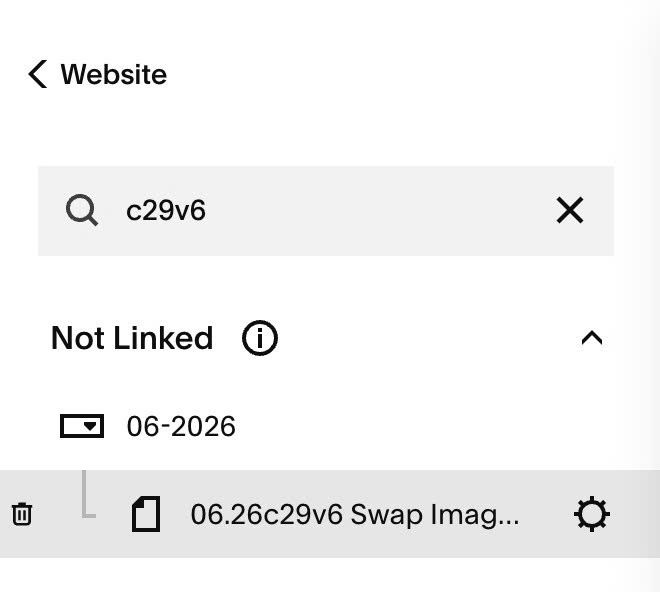
#1.2. Hover on Page where you use Image Blocks > Click Gear icon
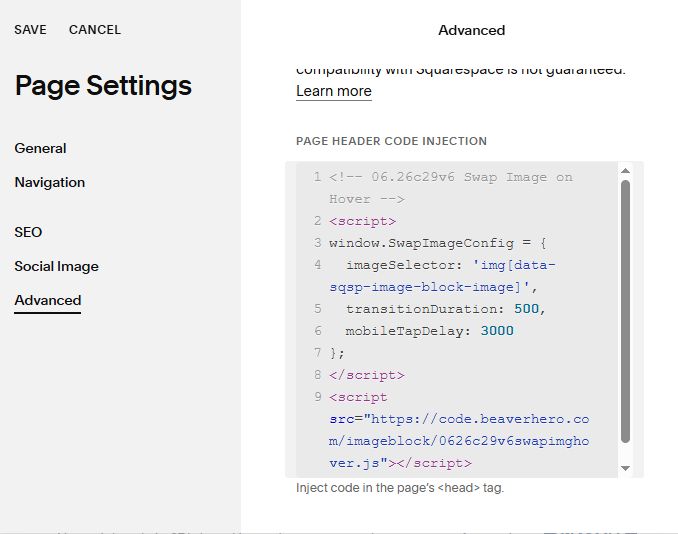
#1.3. Click Advanced > Paste this code
- If you use Personal/Basic Plan and your plan doesn’t support Injection, see #3.1
<!-- 06.26c29v6 Swap Image on Hover -->
<script>
window.SwapImageConfig = {
  imageSelector: 'img[data-sqsp-image-block-image]',
  transitionDuration: 500,
  mobileTapDelay: 3000
};
</script>
<script src="https://code.beaverhero.com/imageblock/0626c29v6swapimghover.js"></script>
#2. Customize
nothing now
#3. Other
#3.1. If you use Personal/Basic Plan and it doesn’t support Injection, you can add a Markdown Block under Image Block

Add this code into Markdown
<script>
window.SwapImageConfig = {
  imageSelector: 'img[data-sqsp-image-block-image]',
  transitionDuration: 500,
  mobileTapDelay: 3000
};
</script>
<script src="https://code.beaverhero.com/imageblock/0626c29v6swapimghover.js"></script>
