Description
- click button reveal section and disable other buttons
- view demo – password: abc
- buy me a coffee

#1. Install Code
#1.1. First, add some button blocks with desired text/url
In my example, we will use url like these
- #lightest-1
- #dark-1
- #bright-1
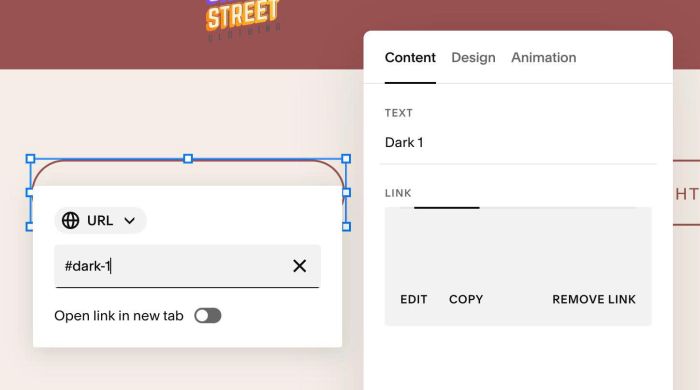
#1.2. Next, add some sections and design your desired layout.
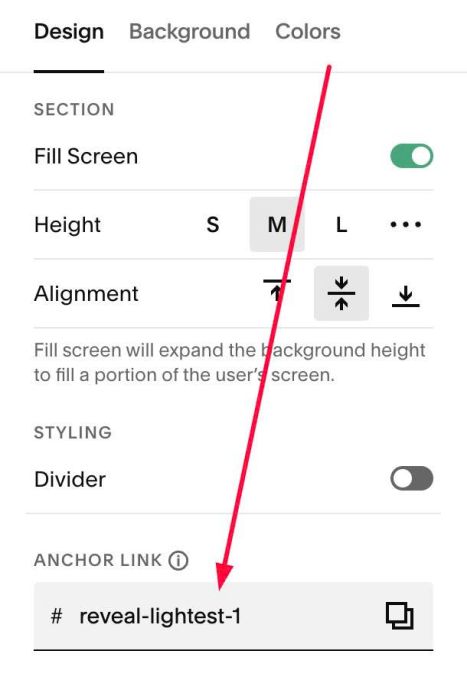
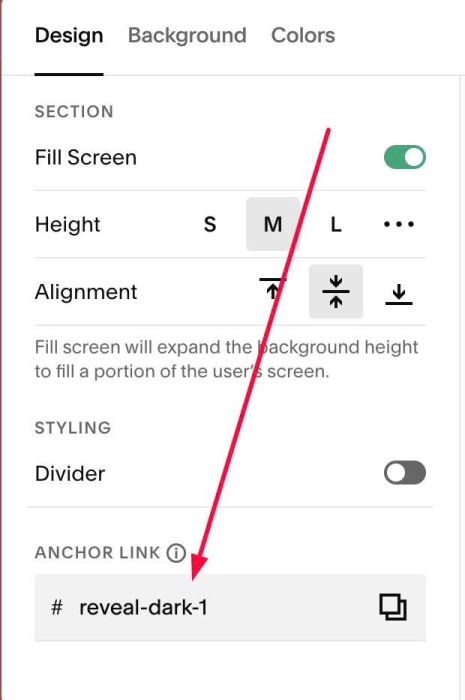
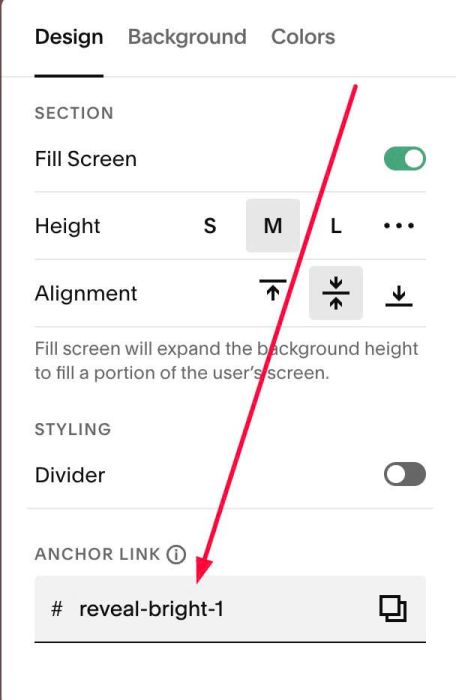
#1.3. Next, hover on top right of these sections > click EDIT SECTION > at Design > Anchor Link > enter word with format: reveal-buttonurl
Something like this
reveal-lightest-1
reveal-dark-1
reveal-bright-1
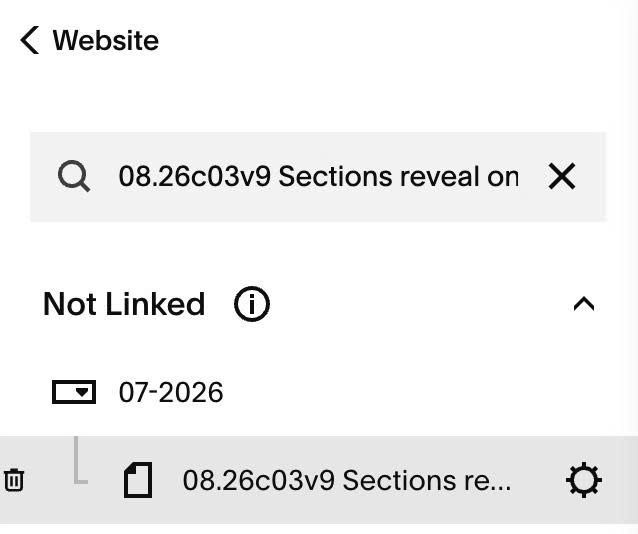
#1.4. Hover on page where you use these buttons/sections > Click Gear icon
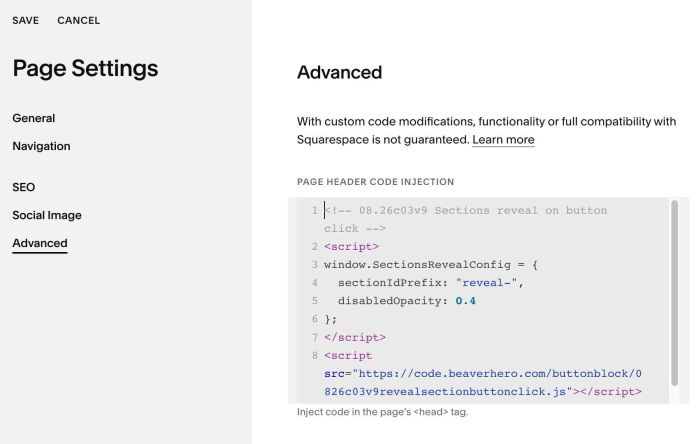
#1.5. Click Advanced > Paste this code
- If you use Personal/Basic Plan and your plan doesn’t support Injection, see #3.1
<!-- 08.26c03v9 Sections reveal on button click -->
<script>
window.SectionsRevealConfig = {
  sectionIdPrefix: "reveal-",
  disabledOpacity: 0.4
};
</script>
<script src="https://code.beaverhero.com/buttonblock/0826c03v9revealsectionbuttonclick.js"></script>
#2. Customize
#2.1. To tweak more, you can use this AI Assistant (designed for Squarespace sites)
#3. Other
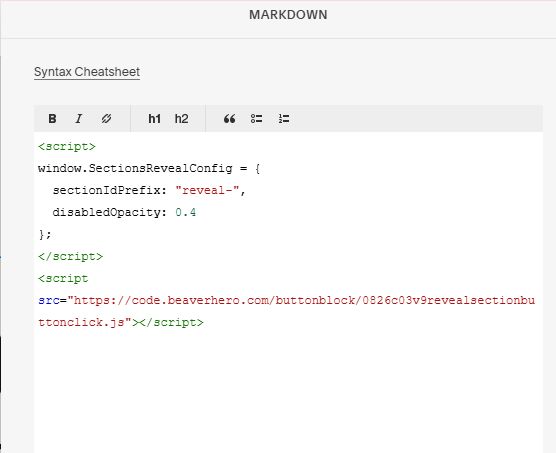
#3.1. If you use Personal/Basic Plan and your plan doesn’t support Injection, you can edit current page (page where you use Buttons) > Add a Block > Choose Markdown

Add this code into Markdown
<script>
window.SectionsRevealConfig = {
  sectionIdPrefix: "reveal-",
  disabledOpacity: 0.4
};
</script>
<script src="https://code.beaverhero.com/buttonblock/0826c03v9revealsectionbuttonclick.js"></script>