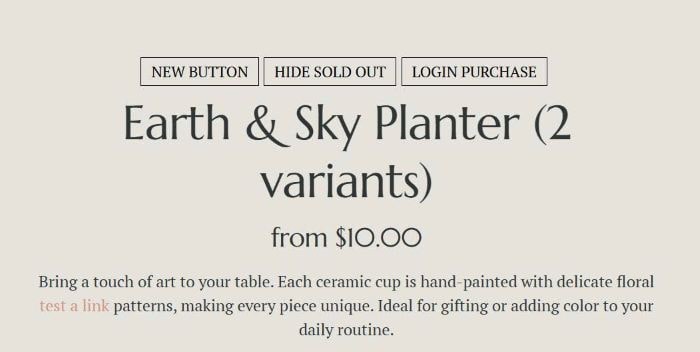
I released new version with more better options. You can check it here.
To add Tags above Product Name, like this.
#1. Install
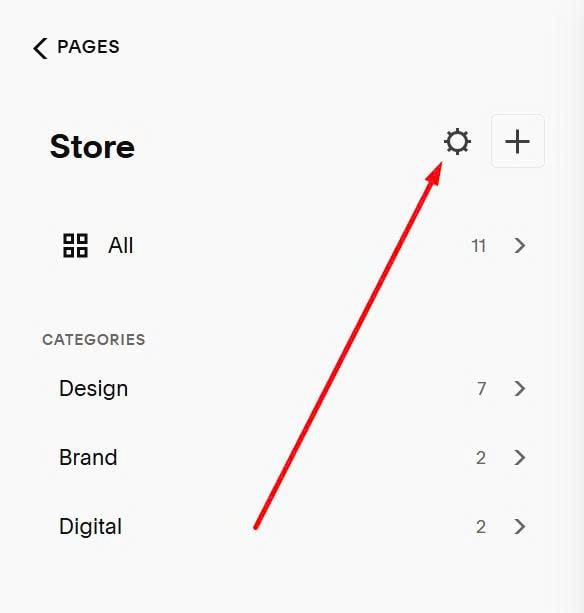
Click on Gear icon on Store Page
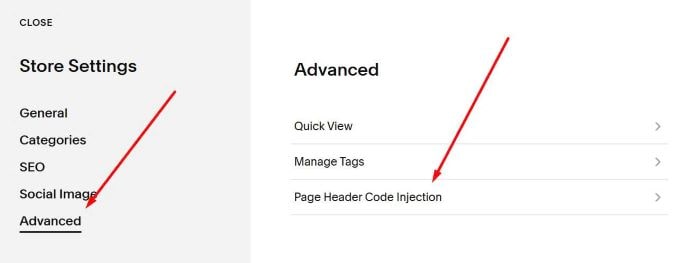
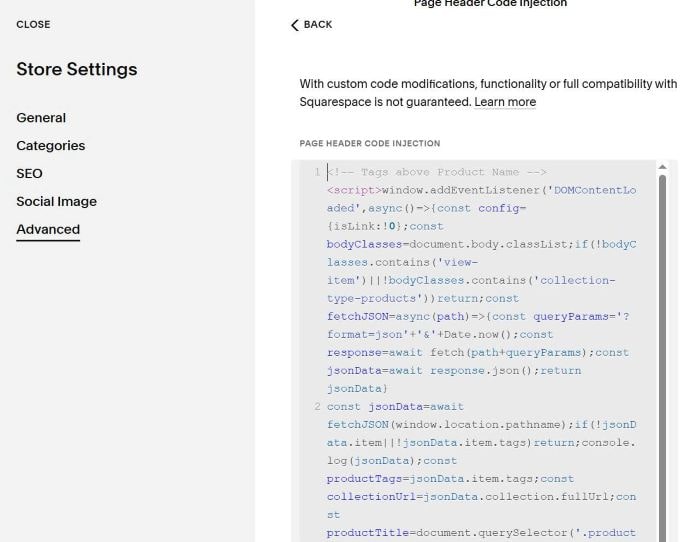
Click Advanced > Page Header Code Injection
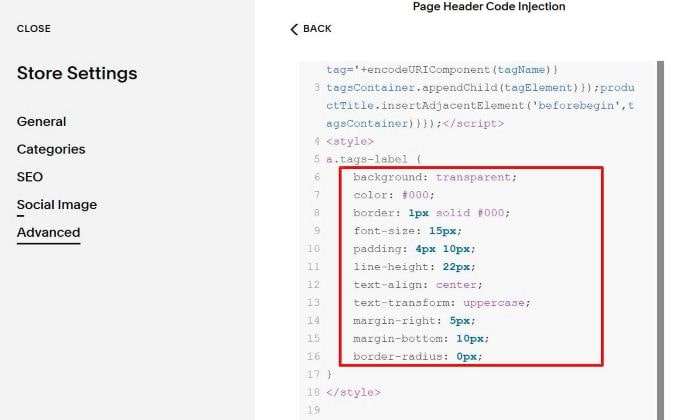
Paste this code
<!-- Tags above Product Name -->
<script>window.addEventListener('DOMContentLoaded',async()=>{const config={isLink:!0};const bodyClasses=document.body.classList;if(!bodyClasses.contains('view-item')||!bodyClasses.contains('collection-type-products'))return;const fetchJSON=async(path)=>{const queryParams='?format=json'+'&'+Date.now();const response=await fetch(path+queryParams);const jsonData=await response.json();return jsonData}
const jsonData=await fetchJSON(window.location.pathname);if(!jsonData.item||!jsonData.item.tags)return;console.log(jsonData);const productTags=jsonData.item.tags;const collectionUrl=jsonData.collection.fullUrl;const productTitle=document.querySelector('.product-meta .product-title');console.log(productTags);if(productTags.length>0){const tagsContainer=document.createElement('div');tagsContainer.className='tags-product-labels';productTags.forEach(tagName=>{const tagElement=document.createElement(config.isLink?'a':'div');tagElement.className='tags-label';tagElement.setAttribute('data-tag-name',tagName);tagElement.setAttribute('data-tag-slug',tagName.toLowerCase().replace(/\s+/g,'-'));tagElement.textContent=tagName;if(config.isLink){tagElement.href=collectionUrl+'?tag='+encodeURIComponent(tagName)}
tagsContainer.appendChild(tagElement)});productTitle.insertAdjacentElement('beforebegin',tagsContainer)}});</script>
<style>
a.tags-label {
    background: transparent;
    color: #000;
    border: 1px solid #000;
    font-size: 15px;
    padding: 4px 10px;
    line-height: 22px;
    text-align: center;
    text-transform: uppercase;
    margin-right: 5px;
    margin-bottom: 10px;
    border-radius: 0px;
}
</style>
#2. Customize
To change style of Tags button, you can adjust these values. Message if you need help, I can help you style them.