Description
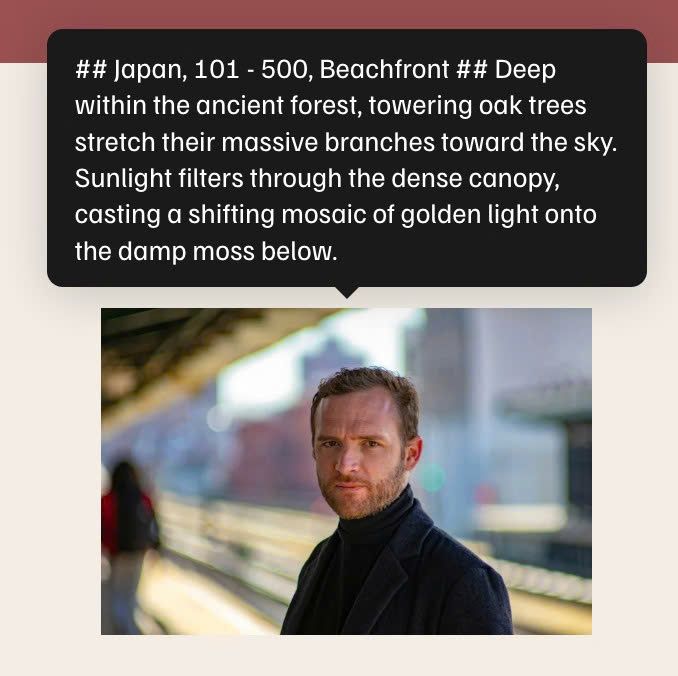
- hover an Image will open tooltip text
- view demo (scroll down to second section) – password: abc
- buy me a coffee
#1. Install Code
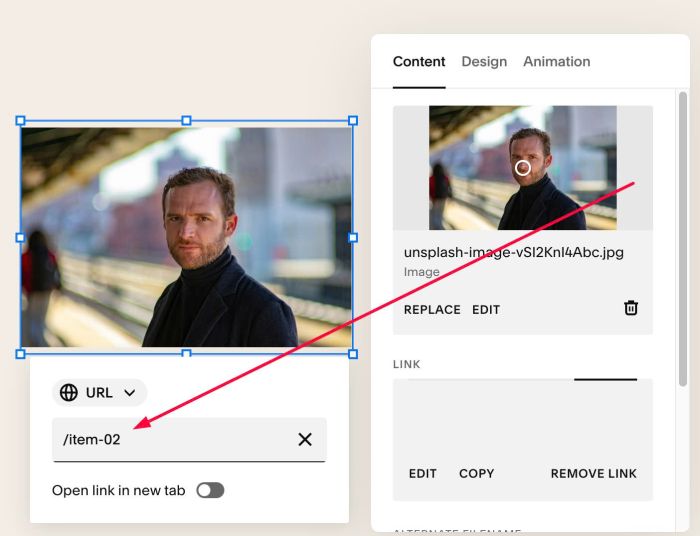
#1.1. First add Links to Images. In my example, we will have
- First Image – Page url: /item-01
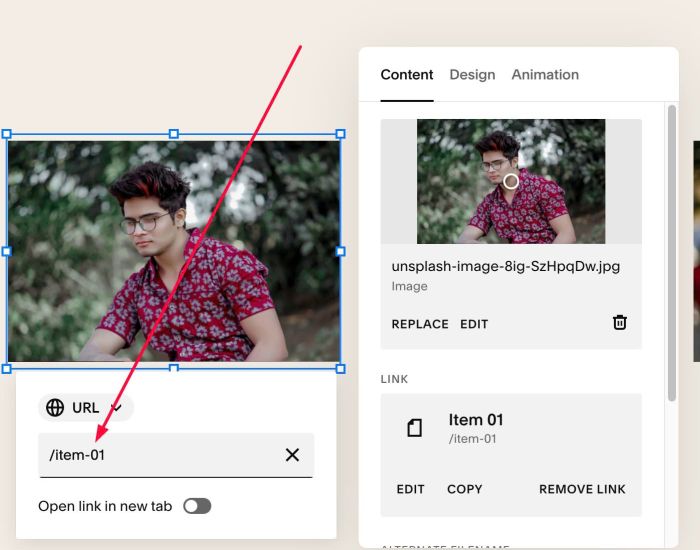
- Second Image – Page url: /item-02
#1.2. Hover on top right of section > Click EDIT SECTION
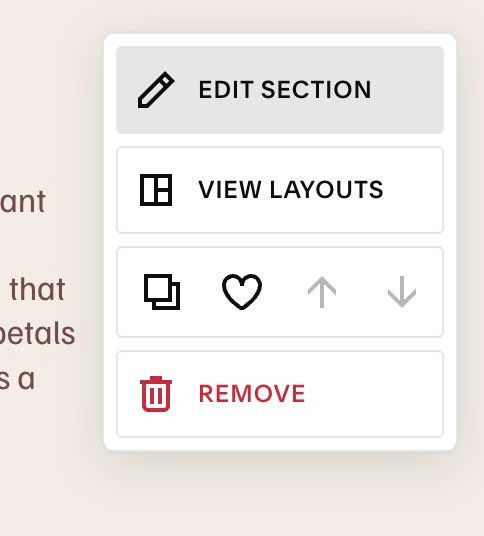
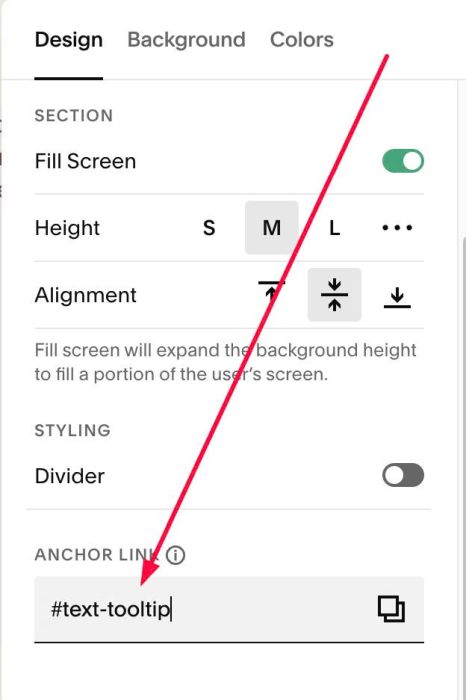
at Design > Anchor Link > enter word: text-tooltip
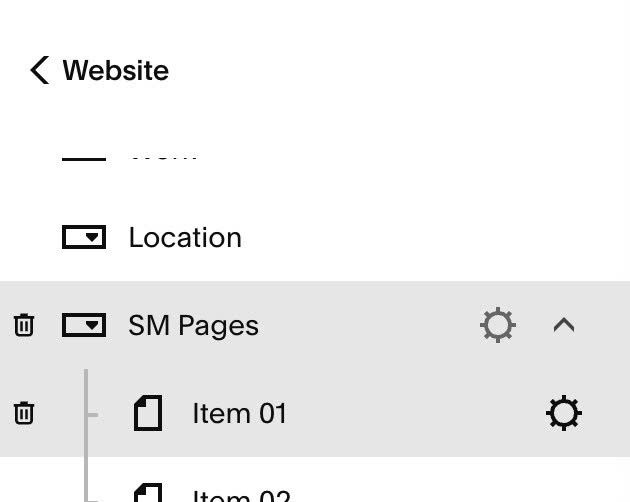
#1.3. Hover on each Page (you added in #1.1) > Click Gear icon
- In my example, it is page: Item 01, Item 02
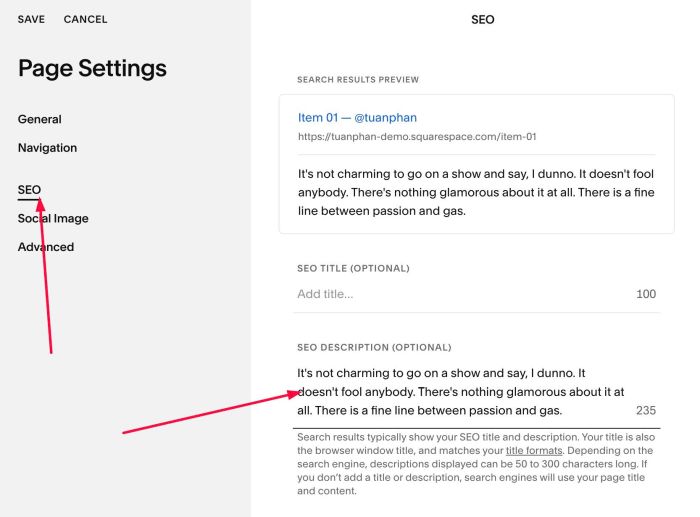
#1.4. Click SEO > Enter desired tooltip text in SEO Description
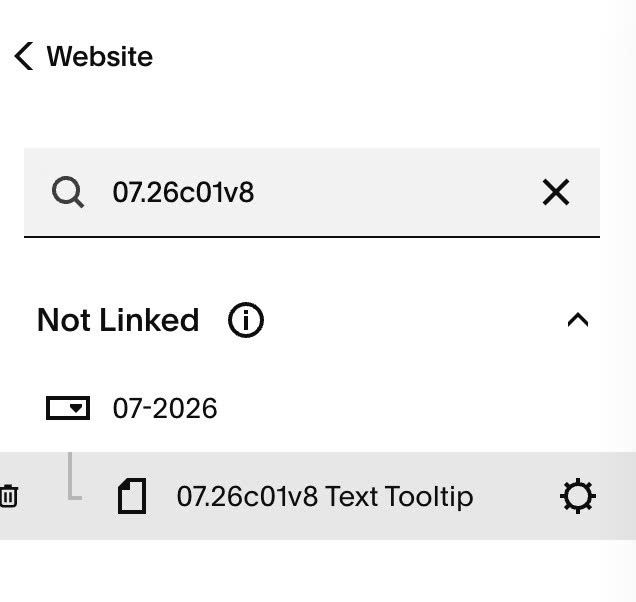
#1.5. Hover on Page (where you use Image Blocks) > Click Gear icon
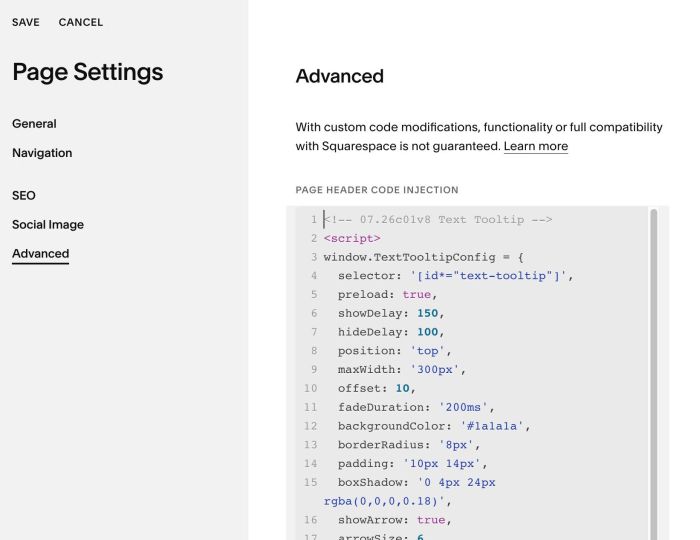
#1.6. Click Advanced > Paste this code
- If you use Personal/Basic Plan and your plan doesn’t support Injection, see #3.1
<!-- 07.26c01v8 Text Tooltip -->
<script>
window.TextTooltipConfig = {
  selector: '[id*="text-tooltip"]',
  preload: true,
  showDelay: 150,
  hideDelay: 100,
  position: 'top',
  maxWidth: '300px',
  offset: 10,
  fadeDuration: '200ms',
  backgroundColor: '#1a1a1a',
  borderRadius: '8px',
  padding: '10px 14px',
  boxShadow: '0 4px 24px rgba(0,0,0,0.18)',
  showArrow: true,
  arrowSize: 6,
  textColor: '#ffffff',
  textSize: '14px'
};
</script>
<script src="https://code.beaverhero.com/textblock/0726c01v8textooltip.js"></script>
#2. Customize
#2.1. To change tooltip background/tooltip box shadow color/border radius, change Line 12 – Line 15
backgroundColor: '#1a1a1a',
borderRadius: '8px',
padding: '10px 14px',
boxShadow: '0 4px 24px rgba(0,0,0,0.18)',
#2.2. To change text size/text color, change Line 18 – Line 19
textColor: '#ffffff',
textSize: '14px'
#2.3. To change width of Tooltip, change Line 09
maxWidth: '300px',
#2.4. To enable/disable arrow/change arrow size, change Line 16 – Line 17
showArrow: true,
arrowSize: 6,
#3. Other
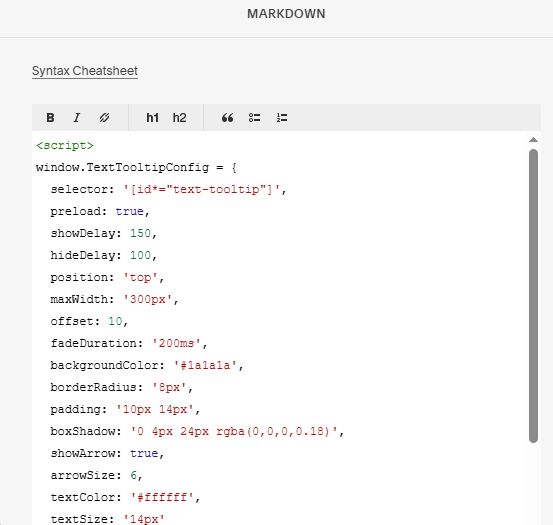
#3.1. If you use Personal/Basic Plan and your plan doesn’t support Injection, you can add a Markdown Block under Image Block.

Add this code into Markdown Block
<script>
window.TextTooltipConfig = {
  selector: '[id*="text-tooltip"]',
  preload: true,
  showDelay: 150,
  hideDelay: 100,
  position: 'top',
  maxWidth: '300px',
  offset: 10,
  fadeDuration: '200ms',
  backgroundColor: '#1a1a1a',
  borderRadius: '8px',
  padding: '10px 14px',
  boxShadow: '0 4px 24px rgba(0,0,0,0.18)',
  showArrow: true,
  arrowSize: 6,
  textColor: '#ffffff',
  textSize: '14px'
};
</script>
<script src="https://code.beaverhero.com/textblock/0726c01v8textooltip.js"></script>