Description
- Want a centered label with a line on each side? Set the text to Paragraph 3 and this CSS adds matching decorative lines to the left and right.
- buy me a coffee
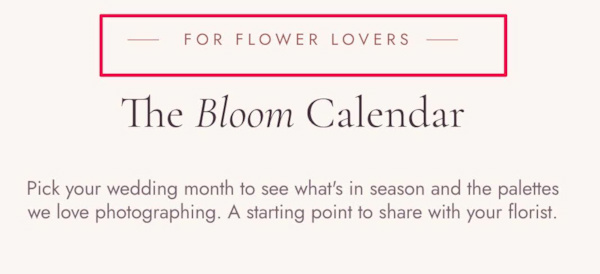
#1. Install Code
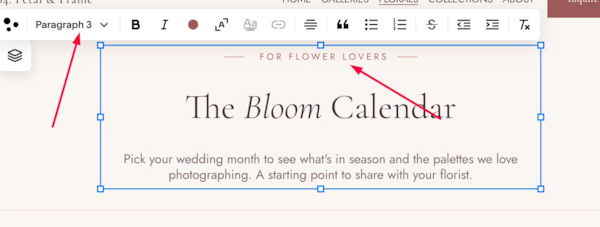
#1.1. First, you need to use Paragraph 3
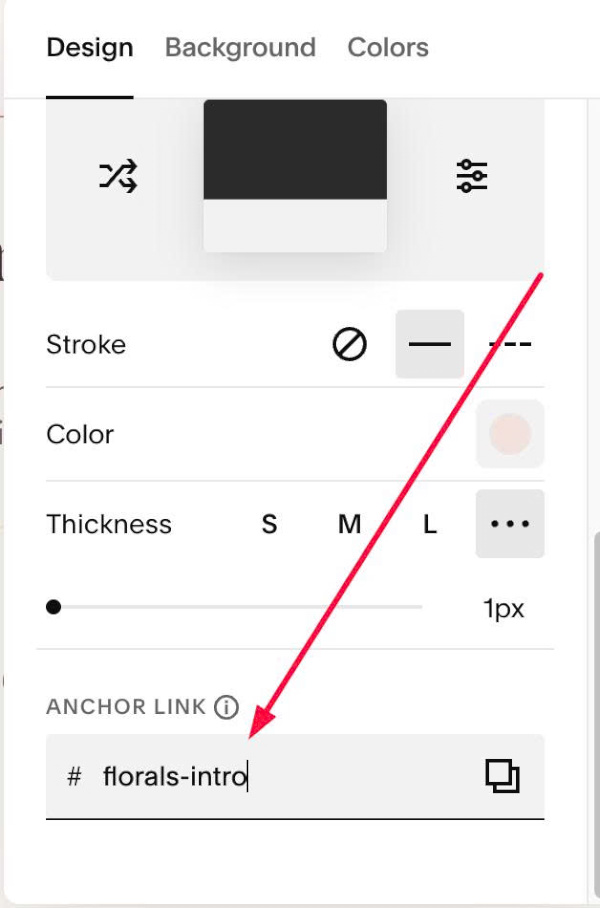
#1.2. Next, hover on top right of section > Click EDIT SECTION > at Design > Anchor Links > Enter word: florals-intro
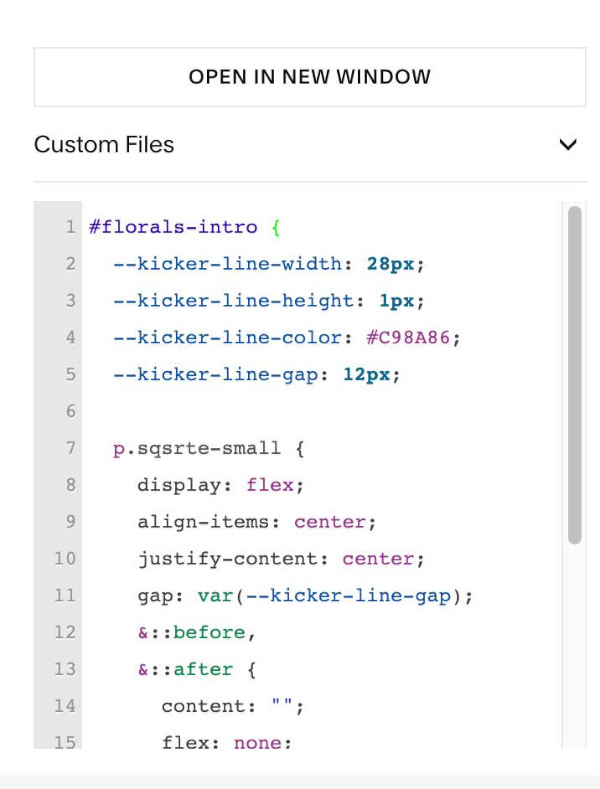
#1.3. Next, use this code to Custom CSS
#florals-intro {
  --kicker-line-width: 28px;
  --kicker-line-height: 1px;
  --kicker-line-color: #C98A86;
  --kicker-line-gap: 12px;

  p.sqsrte-small {
    display: flex;
    align-items: center;
    justify-content: center;
    gap: var(--kicker-line-gap);
    &::before,
    &::after {
      content: "";
      flex: none;
      width: var(--kicker-line-width);
      height: var(--kicker-line-height);
      background: var(--kicker-line-color);
    }
  }
}
#1.4. To change style of both lines, edit this
--kicker-line-width: 28px;
--kicker-line-height: 1px;
--kicker-line-color: #C98A86;
--kicker-line-gap: 12px;