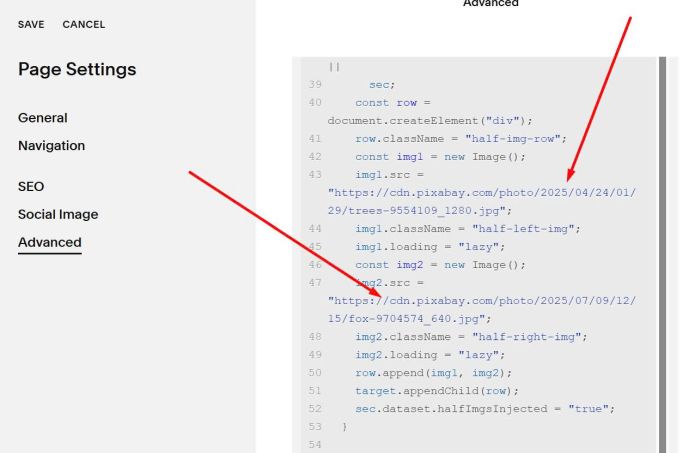
Initial: show 2 panels of image like this.

On Scroll: expand 2 panels to left/right of screen.
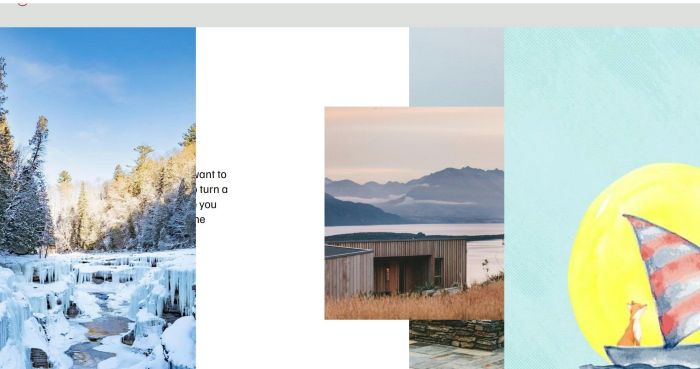
#1. First, you need to upload 2 images & get image urls
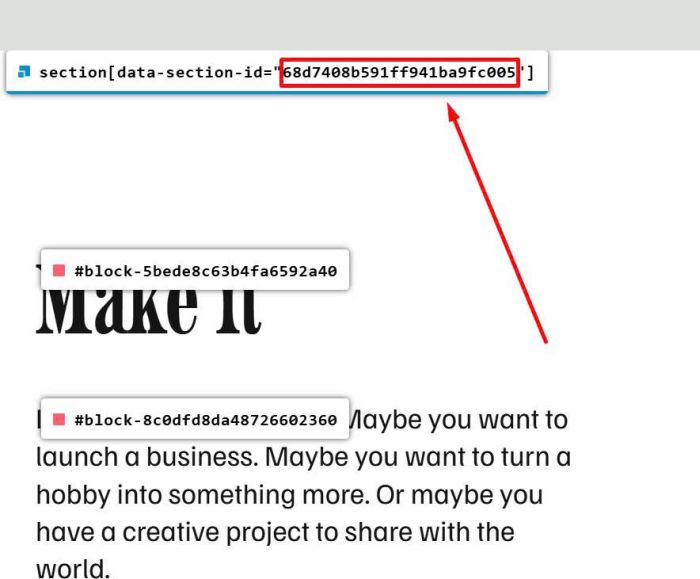
#2. Next, find Section ID (top section)
Note: number in the ID
#3. Next, use this code to Page Header Injection
<!-- @tuanphan - Half Left Halft Right -->
<style>
.half-img-row {
    position: absolute;
    top: 0;
    left: 0;
    right: 0;
    z-index: 99999;
}
.half-img-row img {
    transition: all 0.3s ease;
}
section:has(.half-img-row) .content-wrapper {
    padding-top: 0px !important;
}
section:has(.half-img-row) {
    overflow: hidden;
}
.active-scroll img.half-left-img {
    transform: translateX(-200%);
     transition: all 0.9s ease;
}
.active-scroll img.half-right-img {
    transform: translateX(200%);
     transition: all 0.9s ease;
}
</style>
<script>
(function(){
  const SID = "68d7408b591ff941ba9fc005";

  function inject() {
    const sec = document.querySelector(`section[data-section-id="${SID}"]`);
    if (!sec || sec.dataset.halfImgsInjected === "true") return;
    const target =
      sec.querySelector('[data-fluid-engine="true"]') ||
      sec.querySelector(".sqs-layout") ||
      sec.querySelector(".content-wrapper") ||
      sec;
    const row = document.createElement("div");
    row.className = "half-img-row";
    const img1 = new Image();
    img1.src = "https://cdn.pixabay.com/photo/2025/04/24/01/29/trees-9554109_1280.jpg";
    img1.className = "half-left-img";
    img1.loading = "lazy";
    const img2 = new Image();
    img2.src = "https://cdn.pixabay.com/photo/2025/07/09/12/15/fox-9704574_640.jpg";
    img2.className = "half-right-img";
    img2.loading = "lazy";
    row.append(img1, img2);
    target.appendChild(row);
    sec.dataset.halfImgsInjected = "true";
  }

  function setupScroll() {
    const sec = document.querySelector(`section[data-section-id="${SID}"]`);
    if (!sec) return;
    let lastScrollY = window.scrollY;
    function onScroll() {
      const rect = sec.getBoundingClientRect();
      const scrollY = window.scrollY;
      if (rect.top < window.innerHeight && rect.bottom > 0) {
        if (scrollY > lastScrollY) {
          sec.classList.add("active-scroll");
        } else {
          sec.classList.remove("active-scroll");
        }
      } else {
        sec.classList.remove("active-scroll");
      }
      lastScrollY = scrollY;
    }
    window.addEventListener("scroll", onScroll);
  }

  function onReady(fn){
    if (document.readyState === "complete" || document.readyState === "interactive") fn();
    else document.addEventListener("DOMContentLoaded", fn);
  }

  onReady(inject);
  window.addEventListener("load", inject);
  onReady(setupScroll);
  const mo = new MutationObserver(inject);
  mo.observe(document.documentElement, { childList: true, subtree: true });
})();
</script>
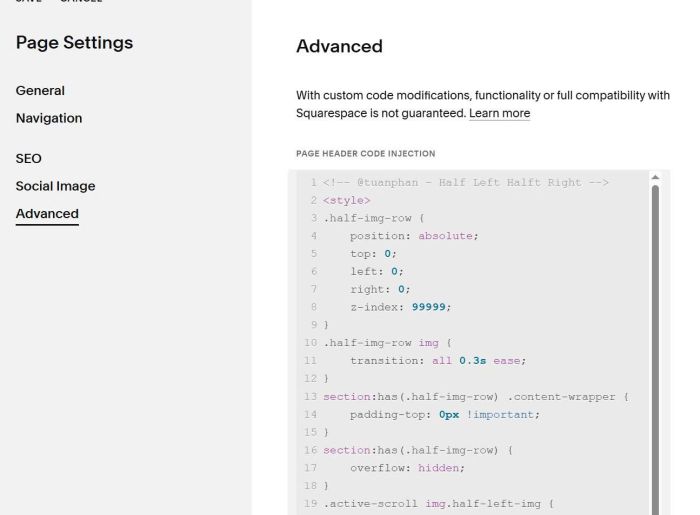
#4. You can update ID here.
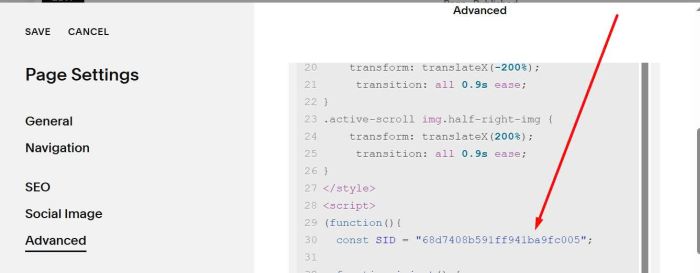
and update 2 Image URLs here.